
Looking for a simple YouTube short download tool that doesn’t make you install anything or create an account? You’re in the right spot. Paste the link to a Short in the box at the top of this page, press Download, and you’ll get an MP4 file you can keep on your phone or computer.
Shorts are those quick vertical clips that keep you scrolling far longer than you planned. Sometimes one of them is actually worth keeping. Maybe it’s a two minute pasta trick, a funny moment your nephew posted, or a clip you made yourself and want a copy of. That’s what this page is for.
Below I’ll walk you through how it works, what to do if something goes wrong, and a few honest answers to the questions people ask most.
So what exactly counts as a YouTube Short?
A Short is YouTube’s name for its short vertical videos, the ones that fill your whole phone screen and play one after another when you swipe up. They live in their own Shorts tab in the YouTube app, and the link usually has the word “shorts” in it.
Lots of people type “YouTube Short download” or “download YouTube Shorts” when they search, and both mean the same thing. If you’ve copied a link to one of those vertical clips, this tool is built for it. Regular long YouTube videos work too, but this page is mainly about the quick ones.
Just so you know, VideoDownload.si is an independent site. We’re not part of YouTube or Google in any way.
How to use this YouTube short download tool
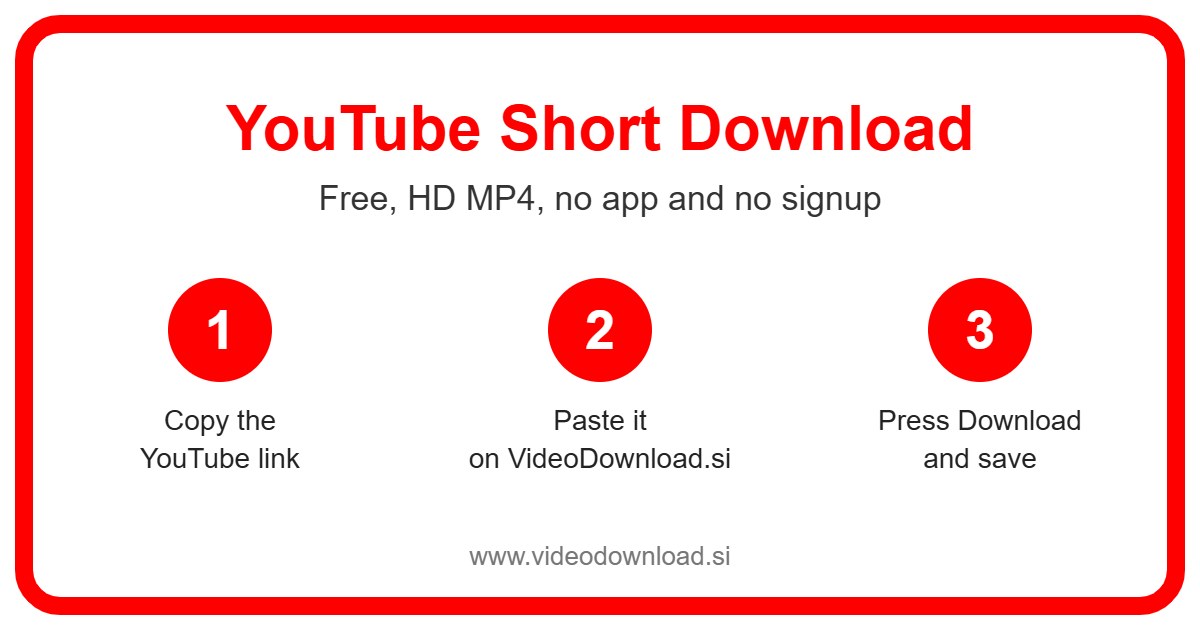
It honestly takes less than a minute once you’ve done it once. Here’s the whole thing:
- Open the Short you want in the YouTube app or on the YouTube website.
- Tap the Share button (on a computer you can also use the three dots).
- Choose Copy link.
- Come back to this page on VideoDownload.si.
- Paste the link into the box at the top.
- Press Download.
- When the video shows up, save the MP4 file to your device.
On an Android phone
Your browser will usually ask where to save the file or drop it straight into your Downloads folder. Most gallery apps pick it up after a moment, so you’ll often see the Short sitting next to your own photos.
On an iPhone or iPad
Safari saves the MP4 into the Files app, inside the Downloads folder. Open Files, tap the video, then tap the Share icon and pick Save Video. Now it’s in your Photos app like anything you’d filmed yourself.
On a Windows PC or Mac
Copy the link from the address bar while the Short is playing, or right click and copy it from the share menu. Paste it here, press Download, and the file lands in your usual Downloads folder.
Why people save Shorts in the first place
You might wonder why anyone would bother, since the clip is right there on YouTube. But real life gets in the way of streaming more often than you’d think, and a quick YouTube short download fixes that.
- Recipes and kitchen tricks. Say you found a Short showing how to fold dumplings. Your phone screen is going to get floury, and you don’t want ads or the next clip starting while you’re mid fold. Having the file saved means you can pause and replay it as many times as you need.
- Your own Shorts. If you make Shorts, it’s smart to keep a copy of what you’ve posted. Phones get lost, and old drafts get deleted to free up space.
- Workouts. A quick stretching routine is much easier to follow when it’s saved on your phone at the gym, where the signal is often terrible.
- Grandparents. My aunt doesn’t have YouTube and has no interest in getting it. When my cousin’s little girl did a dance in a Short, it was much simpler to save the file and send it straight to her phone.
- Travel. On a long bus ride or a flight, a folder of saved clips is a nice thing to have when there’s no data.
What makes this downloader easy
Nothing to install, for a start. It runs in your browser, so it works the same on Android, iPhone, iPad, Windows and Mac. You don’t sign up, you don’t log in, and we’ll never ask for your YouTube or Google password.
It’s also free. You paste the link, you get your file, that’s it. The tool grabs the best quality YouTube makes available for that particular Short, so what you save should look the way it looked when you watched it.
And because Shorts are short, a YouTube short download is usually quick. Most of the waiting time is your own internet connection.
When a YouTube short download fails: quick fixes
Every now and then something doesn’t go to plan. Here are the usual reasons and what you can do about them.
The link isn’t working
Check that you copied the full link and not just part of it. Sometimes people copy the channel link instead of the Short itself. Go back, open the actual video, and use Share then Copy link again.
The video is private or restricted
Only public Shorts work. If a video is private, age restricted, or has been taken down, the tool can’t reach it. There’s no way around that, and we don’t ask for logins to try.
The file won’t play
Most phones and computers play MP4 without any fuss. If yours won’t, try opening it with a different video player, or make sure the download actually finished before you tapped on it.
I can’t find where it went
On iPhone, look in Files, then Downloads. On Android, check your Downloads folder or the Files app. On a computer, it’s almost always in the Downloads folder, or you can open your browser’s download list to see it.
It’s taking ages
Slow WiFi or weak mobile data is usually the reason. Try moving closer to your router, or wait until you’re on a better connection and try again.
A quick word about respecting creators
Please only use the YouTube short download tool for Shorts you made yourself, or ones you have permission to use, and keep them for watching offline. If you share a clip with someone, mention who made it. And don’t reupload other people’s Shorts as your own. Creators put real effort into these, and a little credit goes a long way.
Questions people ask about YouTube Shorts downloads
Is this YouTube short download tool really free?
Yes. There’s no charge and no account. You just paste a link and save the file.
Do I need to install an app?
No. Everything happens in your web browser, so there’s nothing to add to your phone or computer.
Can I download a Short from a private channel?
No. Only public videos can be saved. Private, restricted or removed Shorts won’t work, and we never ask for your login to get around that.
What quality will the video be?
You’ll get the best quality YouTube offers for that Short. It depends on how the video was uploaded, so it varies from clip to clip.
Where does the Short save on my iPhone?
Safari puts it in the Files app, in the Downloads folder. From there you can tap Share and choose Save Video to move it into Photos.
Can I use it to download a Short I posted myself?
Absolutely, and that’s one of the best reasons to use it. Keeping a backup of your own Shorts is a good habit.
Ready to save your first Short?
Scroll back up, paste your link into the box, and press Download. A YouTube short download really is that simple, for keeping a recipe, backing up your own clips, or sending a little family moment to someone who’s never opened YouTube in their life. Enjoy watching, even when the WiFi doesn’t cooperate.
More Free Video Download Tools
Want to save something else? Try our Facebook Short Download, YouTube Video Download, YouTube Reel Download, TikTok Short Download. You can also head back to the VideoDownload.si home page to see every tool in one place.
If a link will not copy or a clip seems to be missing, the official YouTube Help explains how sharing and privacy settings work on YouTube.