
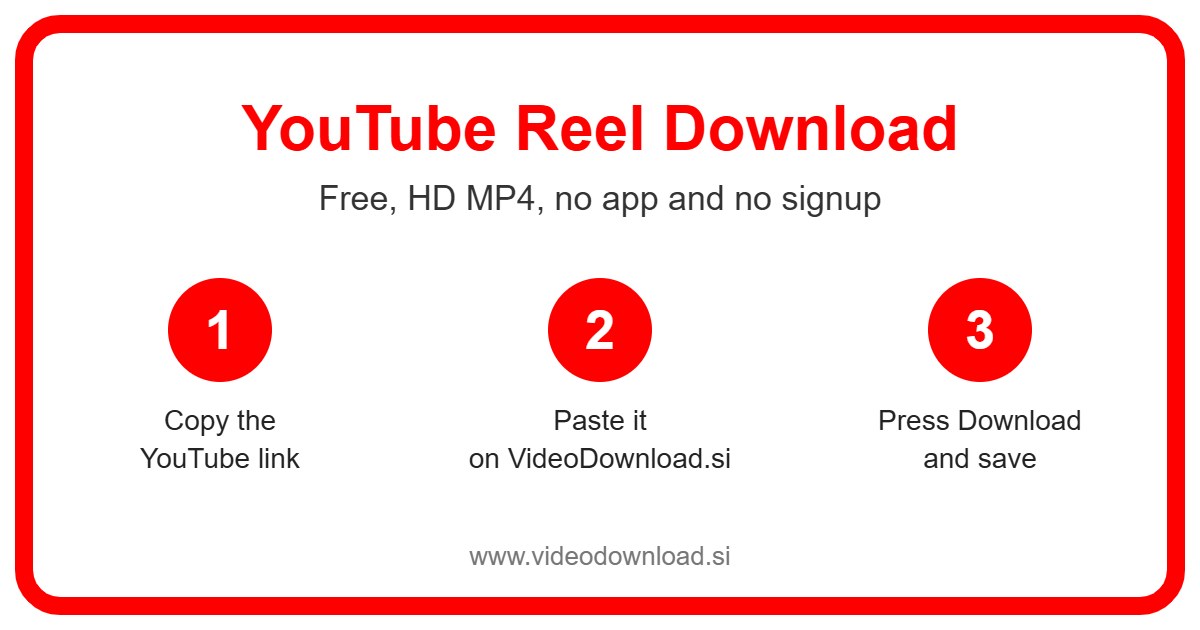
If you searched for a YouTube reel download, here’s the friendly truth first: YouTube doesn’t actually have anything called “Reels”. What you’re after is almost certainly a YouTube Short, and this page saves those just fine. Copy the link, paste it into the box at the top, press Download, and you’ll have an MP4 on your device.
It’s a really common mix up, and it makes total sense. Instagram and Facebook call their short vertical videos Reels, and plenty of people scroll through all three apps every day. After a while the names just blur together.
Reels, Shorts, what’s the difference?
Nothing much, to be honest. Instagram and Facebook use the word “Reels” for their quick vertical clips. YouTube uses the word Shorts for exactly the same kind of video. Full screen, vertical, usually under a minute or so, and you swipe up for the next one.
So when your friend texts you “watch this YouTube reel”, they mean a Short. When you type “YouTube reel download” into Google, you mean a tool that saves Shorts. That’s what this is. You don’t need a special “reel” version, because there isn’t one.
One small note before we carry on: VideoDownload.si is an independent website and isn’t connected to YouTube or Google.
How the YouTube reel download works, step by step
The steps are the same on every device. You grab the link from YouTube, then bring it here. If you’ve ever copied a link to send to someone in a chat, you already know the hardest part.
- Open the Short (the “reel”) in the YouTube app or on the website.
- Tap Share, or the three dots if that’s what you see.
- Tap Copy link.
- Open VideoDownload.si in your browser and go back to this page.
- Paste the link into the box at the very top.
- Press Download and wait a moment for the video to appear.
- Save the MP4 file.
Phone tips
On Android, the file normally goes into your Downloads folder and shows up in your gallery soon after. On iPhone or iPad, Safari puts it in the Files app under Downloads. Tap the video there, hit the Share icon, and choose Save Video to move it into Photos.
Computer tips
On Windows or Mac, you can copy the link right from the address bar while the Short is open. Paste it in the box, press Download, and look in your Downloads folder when it’s done. It’s handy if you edit videos on a laptop and want the clip there instead of on your phone.
Why would you want to save a YouTube “reel”?
Here are a few situations I hear about all the time. You’ll probably recognise at least one of them.
You post the same clip everywhere. Lots of small creators film one video and post it as an Instagram Reel, a TikTok and a YouTube Short. If your original file got deleted from your phone, saving your own Short is a quick way to get a copy back.
Someone sent you a link and you want to keep it. Say a friend shares a Short of a street musician they saw on holiday. You love it and want to watch it later on the train where there’s no signal. Save it now and it’s there when you need it.
You’re following along with something. Short home workouts and quick cooking clips are much easier to use when they’re saved on your phone. No buffering, no ads in the middle, no accidentally swiping to the next video with a wet thumb.
Family who don’t use YouTube. Not everyone has the app, and some people just don’t want it. Sending your dad the MP4 of your kid’s first bike ride is easier than explaining how YouTube works.
Why this YouTube reel download tool is simple to use
It’s free and there’s no sign up. You won’t be asked for an email, a password, or your Google account, ever. The tool runs right in your browser on Android, iPhone, iPad, Windows and Mac, so there’s no app taking up space.
You also don’t have to fiddle with settings. Honestly, the whole YouTube reel download takes fewer taps than replying to the friend who sent you the link. It saves the best quality YouTube makes available for that Short. Paste, download, done.
If your YouTube reel download doesn’t work
Most of the time a YouTube reel download goes smoothly. When it doesn’t, it’s usually one of these.
- Wrong link copied. Did you copy the link to the channel or a playlist by mistake? Open the actual Short and copy its link again.
- The video isn’t public. Private videos, age restricted ones, and anything that’s been removed can’t be saved. We don’t ask for your login to get around this, and we never will.
- It won’t play after saving. Make sure the download finished completely. If it still won’t open, try another video player app, since almost every device can play MP4.
- You can’t find the file. Check Downloads on Android or your computer. On iPhone, look in the Files app under Downloads.
- Everything feels slow. That’s usually your connection. Switch to a stronger WiFi signal or try again a bit later.
Be kind to the people who make these
Only use a YouTube reel download for Shorts that are yours or that you’ve got permission to use, and keep them for your own offline watching. If you pass one along, say who made it. Please don’t reupload someone else’s work to your own account. That’s how creators lose views and motivation, and nobody wants that.
Common questions about YouTube reels and Shorts
Does YouTube have Reels?
No. YouTube’s short vertical videos are called Shorts. “Reels” is the name Instagram and Facebook use. People say “YouTube reel” all the time though, and they mean Shorts.
Is this YouTube reel download page different from a Shorts downloader?
Not really. It handles YouTube Shorts, which is what people mean by YouTube reels. Paste the Short’s link and it works.
Can I save Instagram Reels here too?
This page is set up for YouTube links. VideoDownload.si has separate pages for other platforms, so use the one that matches where the video came from.
Do I have to pay or register?
No. It’s free and you don’t create an account.
Will I get the video in good quality?
You’ll get the best quality YouTube makes available for that clip. That depends on what the creator uploaded.
Why does it say the video can’t be found?
Usually the Short is private, age restricted or deleted, or the link was copied wrong. Try copying it fresh from the Share button.
Is it OK to download someone else’s Short?
Only if you have their permission, and only for personal offline viewing. Your own Shorts are always fine to save.
Give it a go
Whatever you call them, reels or Shorts, saving one takes about as long as it takes to read this sentence twice. Copy the link from YouTube, paste it at the top of the page, and press Download. Your YouTube reel download will be ready in a moment, and you’ll finally have that clip your friend keeps talking about.
More Free Video Download Tools
Want to save something else? Try our Facebook Reel Download, YouTube Video Download, YouTube Short Download, TikTok Reel Download. You can also head back to the VideoDownload.si home page to see every tool in one place.
If a link will not copy or a clip seems to be missing, the official YouTube Help explains how sharing and privacy settings work on YouTube.