
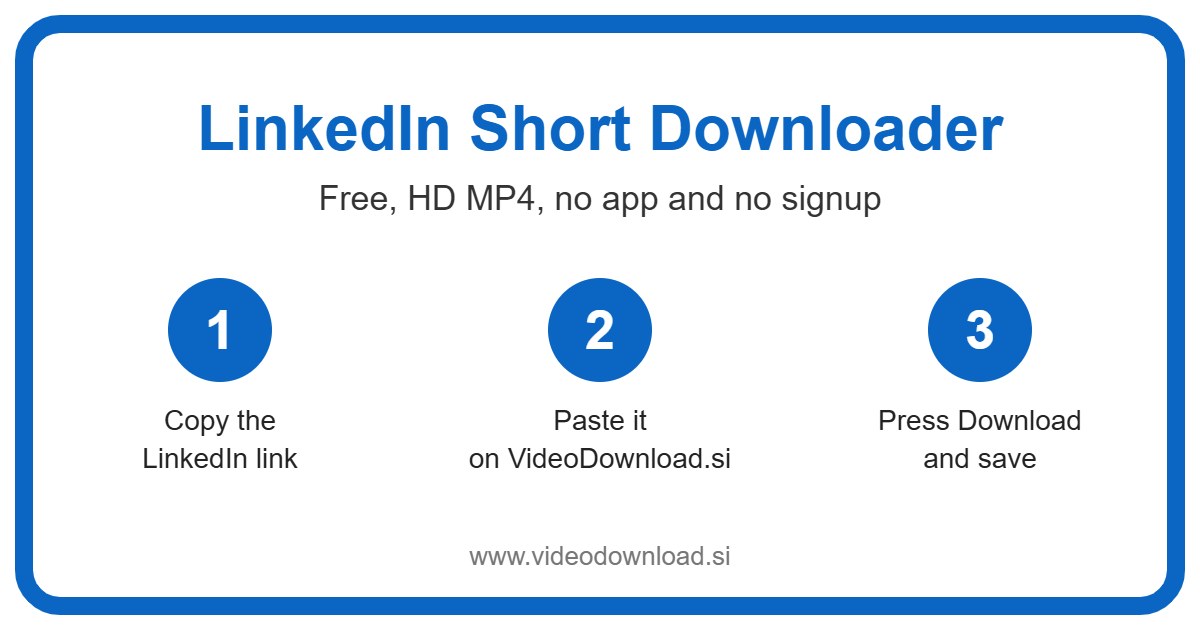
Quick answer: To download a LinkedIn short clip, open it, tap the three dots on the post and choose Copy link to post, paste the link into the LinkedIn Short Downloader box above and press Download. The short clip saves to your phone or computer as an HD MP4 file, free, with no app and no login.
| LinkedIn Short Downloader | Details |
|---|---|
| Price | Free |
| File type | MP4 video |
| Quality | HD, up to 1080p when the original allows |
| Watermark added by us | None |
| App or signup needed | No |
| Works on | Android, iPhone, Windows and Mac |
| Which videos | Public LinkedIn short clips only |
If you need a LinkedIn short downloader for a clip you saw this morning, you’re in the right place. Copy the link to the post, paste it into the box at the top of this page, tap Download, and save the MP4. No app, no account, no fuss.
Short videos have quietly taken over a big part of LinkedIn. Small business owners film quick demos, coaches share 30 second tips, and marketing teams post snappy clips about new launches. They’re great to watch, but the moment you want a copy of one, LinkedIn doesn’t offer a download button.
This LinkedIn short downloader is the simple fix for that. Let’s walk through it.
A Friendly Note on the Name “LinkedIn Shorts”
Here’s something many people don’t realise. LinkedIn doesn’t officially use the word shorts. It just calls them videos. There is, though, a vertical video feed of short clips you can swipe through, and because it works like the short video feeds on other apps, people call these LinkedIn shorts or LinkedIn reels.
So please don’t feel silly for searching LinkedIn short download. It’s what most people type, and it makes perfect sense. The LinkedIn short downloader doesn’t care what you call the clip. If it’s a public LinkedIn video, short or long, vertical or wide, it works the same way.
How to Use the LinkedIn Short Downloader in Six Steps
- Find the short in the LinkedIn app or on LinkedIn.com.
- Tap the three dots on the post, or the Share button.
- Pick “Copy link to post”.
- Open this page and paste the link into the box at the top.
- Press Download and wait a moment while the tool finds the video.
- Choose a quality button and save your MP4.
You’ll usually see options such as 720p, 480p and 360p. Each button shows the file size, so you know what you’re getting before you tap. There’s an “Audio only” button too, though for a short clip most people want the full video.
Saving on iPhone, iPad and Android
On an iPhone or iPad, Safari drops the file into the Files app, in the Downloads folder. From there, tap the share icon and save it to Photos so you can post it or send it like any other video. On Android, it goes to Downloads and normally appears in your gallery as well.
Saving on Windows or Mac
On a laptop, open the post on LinkedIn.com, use the three dots to copy the link, and paste it here. The file lands in your Downloads folder, ready to drag into a presentation or upload to your site.
Who Downloads LinkedIn Shorts, and Why?
Most of the people using this page aren’t hoarding videos. They have a practical job to do.
Imagine you run a small bakery supply shop. Your marketing person made a lovely 40 second short showing your new piping bags in action, and it did well on LinkedIn. Now you’d like the same clip on your website’s product page. A LinkedIn short download gives you the MP4 in seconds, without hunting through old folders for the original file.
Here are a few other common reasons:
- Backing up your own posts. If your company page posts a short every week, keeping copies means you’re covered if a post gets removed or an account changes hands.
- Product demos. Sales folks save short demos to play in client meetings where the WiFi can’t be trusted.
- Sharing with people who aren’t on LinkedIn. Your nephew got a shoutout in his company’s intern video? Grandad would love to see it, and he certainly doesn’t have a LinkedIn account.
- Job hunting tips. A two minute clip from a recruiter is perfect for watching again on the bus before an interview.
What Makes This LinkedIn Short Downloader Simple
Honestly, the best part is what you don’t have to do. You don’t install anything, you don’t make an account, and you never hand over your LinkedIn login. We’ll never ask for it.
It runs in the browser on Android, iPhone, iPad, Windows and Mac, so it works on the work laptop and the personal phone alike. You get the best quality LinkedIn makes available for that clip, and you get to choose a smaller size if you’d rather save space. Seeing the file size before you tap is a small thing, but it’s surprisingly useful on mobile data.
Now, think about how busy marketing days get. You’re juggling a newsletter, a client call and a website update, and the last thing you want is a fiddly process. A LinkedIn short download here is just copy, paste and tap, so you can get the clip and get back to the rest of your list.
Quick Fixes for Common Hiccups
If something goes wrong, check this list before giving up.
- “Invalid link” or nothing happens. Make sure you copied the link with “Copy link to post” and that it’s a LinkedIn.com address. Copying the post text by mistake is very common.
- The video can’t be found. The post probably isn’t public. Posts set to “Connections only”, posts in private groups, deleted posts, LinkedIn Learning courses and paid content won’t work.
- The file won’t play. MP4 plays almost everywhere. Try another video player, or download it again in case it stopped halfway.
- You can’t find the file. iPhone users, look in Files, then Downloads. Android users, check the Downloads folder or your gallery. On a computer, open your browser’s download list.
- It’s slow. Weak WiFi slows any LinkedIn short download down. Choose 360p for a much smaller file, or try again later on a better connection.
Be Fair to the People Who Made It
Someone put time into that clip, so treat it kindly. Download your own shorts, or ones you’ve been given permission to use, for watching offline. If you share it, mention who made it.
For business use, the rule is simple: ask first. Putting a competitor’s or a stranger’s short into your own ad, website or newsletter without permission isn’t fair, and it can cause real trouble. A quick message usually gets you a friendly yes. And please don’t reupload other people’s shorts as if they were yours.
LinkedIn Short Download FAQ
Does a LinkedIn short download cost anything?
No, it’s completely free. There’s no sign up and nothing to install.
Will the person who posted it know I saved it?
We don’t notify anyone. You’re simply saving a copy of a public post to your own device.
Can I use this LinkedIn short downloader for my own company page?
Yes, that’s one of the most popular uses. Copy the link to your company’s post and save the MP4 for backups or for your website.
Why won’t a short from a private group download?
Only public posts work. Private group posts, connections only posts and deleted posts aren’t reachable by the LinkedIn short downloader.
Which quality should I pick?
For posting on a website or showing on a big screen, pick the highest option, often 720p. For a quick look on your phone, 480p or 360p saves space.
Is VideoDownload.si connected to LinkedIn?
No, we’re an independent site and not affiliated with LinkedIn.
That’s really all there is to it. Next time a short catches your eye, or your own team’s clip needs a home on your website, grab the link and do your LinkedIn short download right at the top of this page. A minute later, it’s sitting in your Downloads folder.
More Free Video Downloader Tools
Want to save something else? Try our LinkedIn Video Downloader, LinkedIn Reel Downloader, Other Short Downloader, Twitter Short Downloader. You can also head back to the VideoDownload.si home page to see every tool in one place.
If a link will not copy or a clip seems to be missing, the official LinkedIn Help explains how sharing and privacy settings work on LinkedIn.