
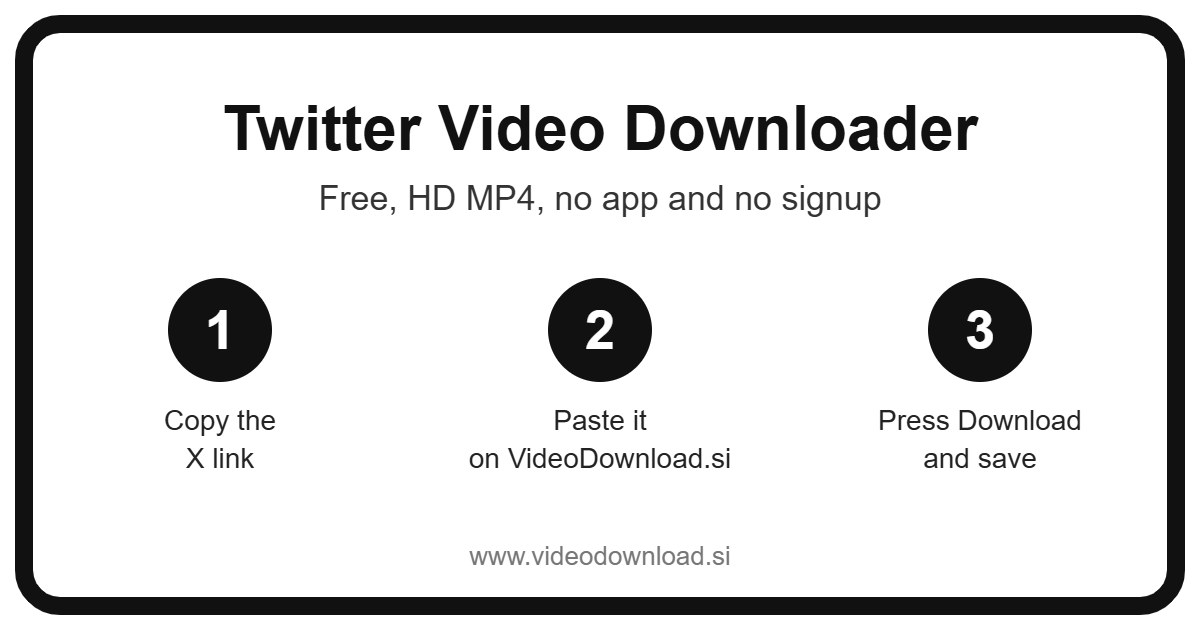
Quick answer: To download a X (Twitter) video, open it, tap the share icon and choose Copy link, paste the link into the Twitter Video Downloader box above and press Download. The video saves to your phone or computer as an HD MP4 file, free, with no app and no login.
| Twitter Video Downloader | Details |
|---|---|
| Price | Free |
| File type | MP4 video |
| Quality | HD, up to 1080p when the original allows |
| Watermark added by us | None |
| App or signup needed | No |
| Works on | Android, iPhone, Windows and Mac |
| Which videos | Public X (Twitter) videos only |
Looking for a simple Twitter video downloader that doesn’t make you jump through hoops? You’re in the right spot. Paste the link to a post in the box at the top of this page, press Download, and you’ll get the video as an MP4 file you can keep on your phone or computer.
Maybe it’s a funny clip your friend shared, a cooking trick you want to try on the weekend, or a short news video you’d like to watch again later. Whatever it is, you don’t need an account here, there’s nothing to install, and it costs nothing.
Twitter, X, tweets and posts: what to call it
So, a quick word on names, because it confuses a lot of people. Twitter changed its name to X, and what used to be called tweets are now officially called posts. Most of us still say Twitter and tweets out of habit, and that’s completely fine.
For this Twitter video downloader, it makes no difference at all. If you came here searching for an X video download, this is the same thing. Links that start with x.com and links that start with Twitter.com both work, so you don’t have to edit anything before you paste it.
It also handles GIFs, not just regular videos. Those little looping animations people reply with are saved as MP4 files too, which means they’ll play on pretty much any phone or computer.
How to use this Twitter video downloader
Here’s the whole thing, start to finish. It takes about as long as making a cup of tea.
- Open the X app or the website and find the post with the video or GIF you want.
- Tap the Share icon on the post (or the three dots) and choose Copy link.
- Come back to this page.
- Paste the link into the box at the top.
- Press the Download button.
- If the post has more than one video, you’ll see each one listed. Pick the one you want.
- Choose a quality, such as 720p, 480p or 360p, or pick Audio only if you just want the sound.
- Save the MP4 to your device.
On a phone or tablet
On Android, the file usually lands in your Downloads folder, and most gallery apps will pick it up after a moment. On iPhone and iPad, Safari puts it in the Files app, inside the Downloads folder. Open it there, tap the share icon, and choose Save Video to move it into Photos.
On a computer
On Windows or Mac it’s even simpler. Copy the post’s address from your browser bar, paste it here, and the file goes wherever your browser normally saves downloads. If you’re not sure where that is, open your browser’s downloads list and click the little folder icon next to the file.
Why people save videos from X
Honestly, the reasons are usually pretty ordinary. Here are some I hear about all the time.
- Watching offline. Long train ride, a flight, or a village with patchy signal? Save a few clips beforehand and you’re sorted.
- Backing up your own posts. If you make videos and post them on X, it’s smart to keep your own copies in case you lose the original file.
- Keeping a recipe or workout. Say someone posts a 40 second clip showing how to fold dumplings. You’ll want it handy in the kitchen, not buried in your timeline.
- Sharing with family who aren’t on X. Your dad might not have the app, but he can open an MP4 sent over WhatsApp or email.
- Saving a reaction GIF. Found the perfect GIF? Keep it so you can use it in a group chat later.
- Grabbing the audio. Some people only want the sound from a speech, a song snippet or a podcast clip, which is where the Audio only option comes in.
Posts also have a habit of vanishing. People delete them, accounts go quiet, and that clip you loved is gone. Saving a copy of something you’re allowed to keep means it’s there when you want it.
What makes this Twitter video downloader easy
This Twitter video download page does one job and tries not to get in your way. There’s no sign up form, no app to download, and no password to type. It runs in the browser you already use, whether that’s on an Android phone, an iPhone, an iPad, a Windows laptop or a Mac.
The quality buttons are a nice touch, if I say so myself. Each one shows the file size right on the button, so you can see before you tap how big the download will be. On mobile data, you might go for 360p to save space. On home WiFi, grab the 720p version (or whatever the best option is for that post). The tool always offers the best quality X makes available for that video.
And when a post has two or three videos in it, you don’t have to guess which one you’re getting. They’re listed one by one, so you just choose.
Problems with your Twitter video download, and how to fix them
When a Twitter video download fails, there’s usually a simple cause. Run through these before you give up.
The link isn’t working
Check that you copied the link to the post itself, not to someone’s profile or a search page. A post link has the word “status” in it followed by a long number. Links starting with x.com or Twitter.com are both fine.
The account is protected
If the person has a protected (private) account, only their approved followers can see the posts, and this Twitter video downloader can’t reach them. We’ll never ask for your X login to get around that, and you shouldn’t give your password to any downloader site.
It says the video isn’t available
Posts marked as sensitive or adult content won’t download here. Deleted posts won’t either, because the video simply isn’t there anymore. Live Spaces audio isn’t supported, since that’s a live audio room rather than a video file.
The video won’t play
Make sure the download actually finished. A half done file often refuses to open. If it did finish, try a different player, like VLC on a computer, or just download it again.
I can’t find the file
On iPhone, look in the Files app under Downloads. On Android, check the Downloads folder or your Files app. On a computer, open your browser’s downloads list.
It’s really slow
A slow Twitter video download is usually down to the connection. Try a lower quality like 360p, step closer to your WiFi router, or wait until you’re on a faster network.
Please respect the people who made it
A quick, friendly note. Only use a Twitter video download for videos you made yourself or ones you have permission to use, and keep them for your own offline viewing. If you do share something with a friend, mention who made it. Please don’t upload other people’s videos as your own. Creators put real work into their posts, and a little credit goes a long way.
Questions people ask
Is this Twitter video downloader free?
Yes, every Twitter video download here is free. There’s no sign up and nothing to install.
Does it work with x.com links?
It does. Whether your link starts with x.com or Twitter.com, just paste it in as it is. Any X video download works the same way here.
Can I save GIFs from posts?
Yes. GIFs from public posts are saved as MP4 files, so they play on nearly every device.
What if a post has more than one video?
The Twitter video downloader lists every video in the post, and you choose the one you want. You can come back and grab the others the same way.
Can I download just the sound?
Yes. Pick the Audio only option instead of a video quality and you’ll get just the audio.
Why won’t some videos download?
Protected accounts, posts marked as sensitive, deleted posts and live Spaces audio won’t work. The tool only handles videos and GIFs in public posts.
Is this site part of X?
No. VideoDownload.si is an independent site and is not affiliated with X or Twitter.
Ready to try it?
Next time a clip on your timeline makes you laugh or teaches you something useful, you’ll know what to do. Copy the link, paste it at the top of this page, pick your quality, and the Twitter video download is done in a few taps. Enjoy your videos, and don’t forget to give the creators a little love.
More Free Video Downloader Tools
Want to save something else? Try our Twitter Short Downloader, Twitter Reel Downloader, Other Video Downloader, LinkedIn Video Downloader. You can also head back to the VideoDownload.si home page to see every tool in one place.
If a link will not copy or a clip seems to be missing, the official X Help Center explains how sharing and privacy settings work on X.