
So you found a great little clip and you’d like a TikTok short download to keep it on your device. Good news, it’s quick. Paste the TikTok link into the box at the top of this page, press Download, and you’ll have an MP4 saved in a few seconds.
No account, no app, no fee. The tool runs in your web browser, which means it works on Android, iPhone, iPad, Windows and Mac without you having to set anything up first.
Think of this page as a friendly cheat sheet. I’ll explain what people mean by a “short” on TikTok, show you the steps, and help you out if anything goes a bit wrong.
Shorts, reels, TikToks: what are we talking about?
If you watch a lot of YouTube, you’ll know their quick vertical videos are called Shorts. Instagram calls theirs Reels. TikTok, funnily enough, doesn’t give them a special name. On TikTok, they’re just videos.
Because the apps look so alike, people borrow the words. Someone searching for a TikTok short download is really after a normal TikTok video, and that’s exactly what this tool saves. Call it whatever feels natural to you, the steps don’t change one bit.
Saving a TikTok short, the easy way
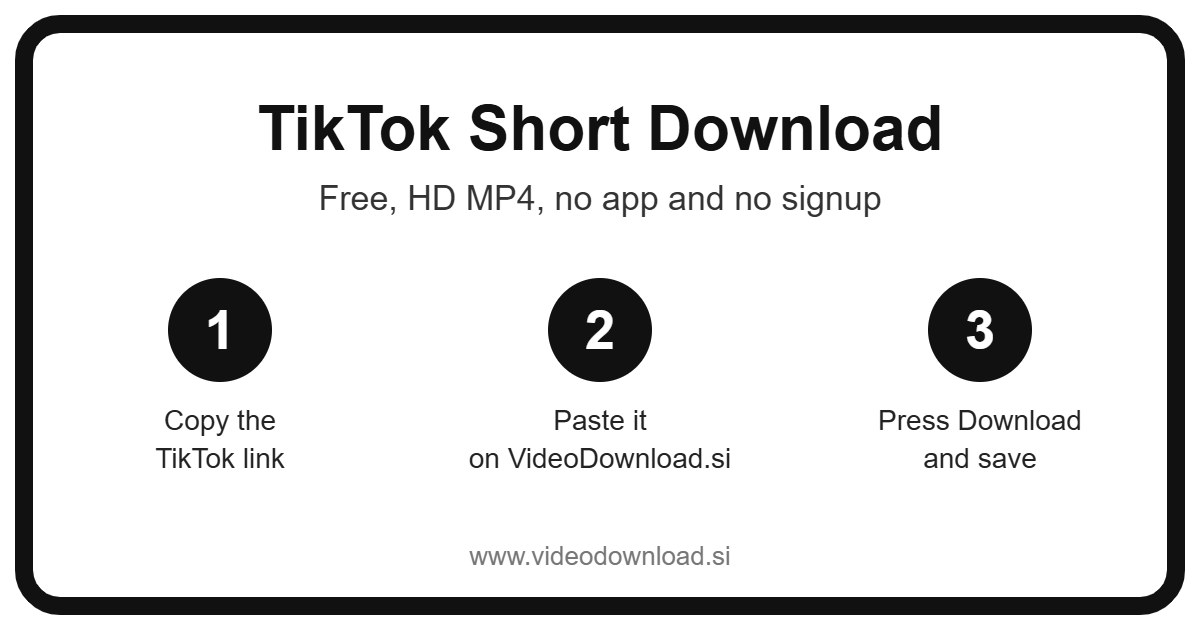
Here’s how a TikTok short download works from start to finish:
- Find the video in the TikTok app or on TikTok.com.
- Tap Share, or the three dots if that’s what you see.
- Pick Copy link.
- Open this page in your browser.
- Paste the link into the box at the top.
- Press Download.
- When the video appears, save the MP4.
That’s honestly all there is to it. The first time might take a minute while you find the Share button. After that you’ll do it without thinking.
Here’s a little example. Last week my neighbour wanted a TikTok short download of her son’s football goal, which his coach had posted on the team account. She copied the link while waiting at the school gate, pasted it here, and had the clip saved before the bell rang. She’s since sent it to half the family.
Tips for iPhone and iPad
Safari doesn’t drop downloads straight into Photos, which confuses a lot of people. Instead, the MP4 goes into the Files app, in the Downloads folder. Tap the video there, hit the share icon, and choose Save Video. Now you’ll find it in Photos like any other clip.
Tips for Android
Most Android phones put the file in Downloads, and it usually shows up in your gallery too. If it doesn’t, open your Files or My Files app and look under Downloads.
Tips for Windows and Mac
Your browser will save the MP4 to its usual downloads folder. You can drag it to your desktop, put it in a folder, or open it with any media player.
What do people actually use these saved clips for?
Everyone has their own reasons for a TikTok short download, but a few come up again and again.
Recipes you’ll really cook. You spot a fifteen minute pasta on TikTok, and you know that by Saturday you’ll never find it again. Save it, and you can prop your phone up in the kitchen and follow along with no scrolling and no ads popping up mid stir.
Workouts at the gym. Basements and gyms are famous for terrible signal. A saved clip of that stretching routine plays straight away, every time.
Backing up your own posts. Do you run a small business and post product clips on TikTok? Keep your own copies. If you ever want to use them on your website or show them at a market stall, they’re ready.
Watching on the go. A long flight, a road trip with the kids, a hospital waiting room. Having a few clips saved offline can be a real lifesaver.
Sending to someone without TikTok. Your grandmother would love that video of your little one dancing, but she’s not about to make a TikTok account. Send her the MP4 and she can watch it right in her messages.
Why this TikTok short download tool feels simple
Lots of download sites are cluttered and confusing. We tried to keep this one plain. There’s a box, there’s a button, and that’s the main event.
You don’t sign up, you don’t log in, and you don’t install anything. The video comes out as an MP4, which plays on pretty much every phone, tablet and computer made in the last ten years. You get the best quality TikTok makes available for that video, so a sharp clip stays sharp.
And because it’s all in the browser, it’s the same tool on your phone at lunch and on your laptop in the evening.
TikTok short download problems, sorted
Hit a snag? Don’t worry. These are the usual suspects and how to fix them.
- “Invalid link” or nothing happens. Go back to TikTok and copy the link again from the Share menu. Make sure the whole link got pasted, with nothing missing at the start or end.
- The video is private. This tool only works with public videos. Private accounts, friends only videos, and anything removed or age restricted can’t be downloaded. We will never ask for your TikTok login, so please don’t type it anywhere on a download site.
- The file won’t open. It may have been cut off halfway. Delete it and download again. If it still won’t play, try a different video player.
- “I can’t find it!” On iPhone, check Files and then Downloads. On Android, check Downloads or your gallery. On a computer, open your browser’s downloads list.
- Everything is slow. That’s almost always the connection. Try again on stronger WiFi, or wait a little and retry.
A quick word about fair use
The person who made that clip spent time on it, so let’s treat it kindly. Download your own videos or ones you’ve been given permission to use, and keep them for your own offline viewing. If you pass one along, credit the creator. Please don’t reupload other people’s work.
By the way, TikTok’s own Save button isn’t always there. Often that’s because the creator turned it off. Take that as a gentle sign of what they’d prefer, and leave that clip alone.
Your questions, answered
Does TikTok have a Shorts section?
Not by that name. Shorts is YouTube’s word. On TikTok every clip is just a video, and this tool saves them all the same way.
How much does a TikTok short download cost?
Nothing. It’s free to use and there’s no sign up.
Can I save videos on my iPad?
Yes. Use Safari, then look in the Files app under Downloads. You can save the video to Photos from there.
What format will I get?
An MP4 file, which plays on almost any device.
Why won’t a certain video download?
It’s probably private, friends only, age restricted or removed. Only public videos work.
Are you connected to TikTok?
No. VideoDownload.si is an independent site and isn’t affiliated with TikTok or ByteDance.
Do you need my TikTok password?
Never. You only paste a link. We don’t ask for any login details.
Give it a go
Once you’ve tried it, you’ll probably wonder why you ever took screenshots or tried to screen record clips instead. Those never look as good, and the sound often goes missing. A proper download keeps the video and the audio just as the creator posted them.
Next time a recipe, a workout or a silly clip catches your eye, you’ll know what to do. Copy the link, come back here, and run your TikTok short download in the box above. Your video will be waiting for you whenever you need it, signal or no signal.
More Free Video Download Tools
Want to save something else? Try our Facebook Short Download, YouTube Short Download, TikTok Video Download, TikTok Reel Download. You can also head back to the VideoDownload.si home page to see every tool in one place.
If a link will not copy or a clip seems to be missing, the official TikTok Help Center explains how sharing and privacy settings work on TikTok.