
This free LinkedIn video downloader saves public LinkedIn videos as MP4 files on your phone, tablet or computer. Paste the post link into the box at the top, press Download, choose a quality, and you’re done.
LinkedIn has turned into a surprisingly good place to learn things. Conference speakers post their talks, trainers share how to videos, and companies show off products in short demos. The trouble is that a great video tends to disappear down your feed just when you want to watch it again, and there’s no download button on the post.
So here’s how to keep the ones that matter to you.
What Kind of LinkedIn Videos Can You Save?
The LinkedIn video downloader handles pretty much any video in a public LinkedIn post. That includes the longer ones people upload from a talk or webinar, and the short vertical clips you swipe through in LinkedIn’s video feed. LinkedIn simply calls all of these videos, even though lots of people call the short ones reels or shorts.
What you can’t save is anything that isn’t public. LinkedIn Learning courses are off limits, and so is paid content. We’ll come back to the full list a bit further down, so you know what to expect before you try.
How to Use This LinkedIn Video Downloader
You don’t need to be techy for this. If you can copy and paste, you can do it.
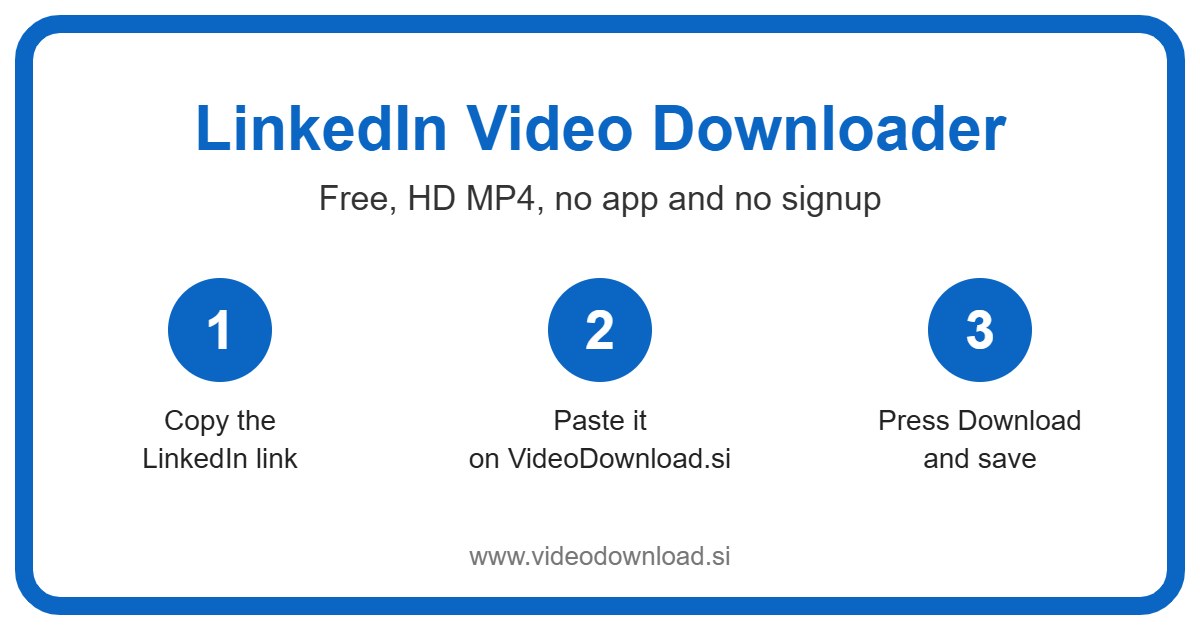
- Open the video post in the LinkedIn app or on LinkedIn.com.
- Tap the three dots in the corner of the post, or tap Share.
- Select “Copy link to post”.
- Come back here and paste the link into the box at the top of the page.
- Press the Download button.
- Pick a quality, or choose “Audio only”, and save the file.
The quality buttons usually look something like 720p, 480p and 360p, and each one shows its file size. A 40 minute talk at 720p can be a big file, so it’s nice to see the size up front and decide. Not sure which to pick? For most people, 480p is a happy middle for a LinkedIn video download you’ll watch on a phone.
If you’re on a phone
iPhone and iPad users, Safari puts the download in the Files app, under Downloads. Open it there and use the share icon to save it to Photos if you want it with your other videos. Android phones put it in Downloads, and it usually shows up in the gallery too.
If you’re on a computer
On Windows or Mac, copy the post link from your browser, paste it here, and the MP4 lands in your Downloads folder. A computer is often the easier choice for long talks, since you’ve got more storage to play with.
Everyday Reasons for a LinkedIn Video Download
What do people actually do with saved LinkedIn videos? Quite a lot, it turns out.
Catching up on conference talks
Say you couldn’t make it to an industry event, but one of the speakers posted her 25 minute session on LinkedIn. You won’t watch it at your desk, let’s be honest. Save it, and it’s ready for the flight next week or a quiet Sunday afternoon.
Turning a talk into listening material
This is where “Audio only” shines. A lot of talks and panel chats are really about what people say, not what’s on screen. Grab just the audio and listen on your commute or at the gym, like a podcast you picked yourself.
Keeping training and how to videos
Maybe a trainer shared a clear walkthrough of a new accounting feature, or a safety refresher your team should see. Having the file means you can play it at the next team meeting without relying on the office WiFi.
Backing up your own company’s posts
If your business posts videos on LinkedIn, it’s smart to keep your own copies. A LinkedIn video download is also a quick way to reuse a product demo on your website when the original file is buried on someone’s old laptop.
Why People Find This LinkedIn Video Downloader Easy
Nobody wants to install yet another app just to save one video. With this LinkedIn video downloader you don’t have to. There’s no sign up and no account, and you’ll never be asked for your LinkedIn login, because we don’t need it and never ask for it.
The page works in your normal browser on Android, iPhone, iPad, Windows and Mac. It saves the best quality LinkedIn makes available for that video, and you choose the size that suits you. Want a crisp copy for a presentation? Go big. Just want to hear a talk on the train? Audio only keeps the file tiny.
And because every LinkedIn video download here starts with a plain link, you can do it from whichever device is closest. Copy the link on your phone during lunch, or on your laptop between meetings. It works the same either way.
Sorting Out Problems
Now and then a download won’t behave. Here’s what usually causes it.
The tool won’t accept my link
Go back to the post and use “Copy link to post” again. Links from LinkedIn.com work. If you’ve copied the caption or a message instead of the link, it won’t.
It can’t find the video
Most likely the post isn’t public. Posts set to “Connections only”, videos inside private groups, LinkedIn Learning courses, paid content and deleted posts won’t work, however many times you try.
My file won’t open
MP4 plays on nearly everything. If it won’t open, the download may have been cut short, so try again. On a computer, a free player like VLC can help.
I don’t know where it saved
On iPhone, open Files and then Downloads. On Android, try the Downloads folder or your gallery app. On a computer, check the browser’s list of recent downloads.
It’s crawling along
Long talks on slow WiFi take a while. Choose 360p or “Audio only” for a much smaller file, or wait until you’re on a faster connection.
Please Respect the People Behind the Videos
A conference talk or a training video can take days to put together. So save your own videos, or ones you’ve got permission to use, and keep them for personal offline viewing. If you share a clip with someone, give the creator credit.
At work, be extra careful. Using someone else’s video in your own marketing, slides or website without asking isn’t fair to them, and it could land your company in an awkward spot. Send a quick message and ask. And don’t reupload other people’s videos as your own.
LinkedIn Video Download: Your Questions Answered
Is this LinkedIn video downloader free?
Yes, every LinkedIn video download here is totally free. No account, no sign up and no app.
Can I download LinkedIn Learning courses?
No. LinkedIn Learning and other paid content won’t work here. Only videos in public posts can be saved.
How long can the video be?
Short clips and full length talks both work, as long as the post is public. Longer videos simply take a little more time and space.
Can I get just the audio from a talk?
Yes. Tap “Audio only” after you press Download, and you’ll have something to listen to on the go.
Do you need my LinkedIn password?
Never. We don’t ask for any LinkedIn login. If a site ever does, close the tab.
Are you linked to LinkedIn?
No. VideoDownload.si is independent and isn’t affiliated with LinkedIn.
Got a talk, a demo or a how to video you keep meaning to watch properly? Copy its link, paste it at the top of this page, and let the LinkedIn video download do the rest. Then watch it, or just listen, whenever suits you.
More Free Video Downloader Tools
Want to save something else? Try our LinkedIn Short Downloader, LinkedIn Reel Downloader, Other Video Downloader, Twitter Video Downloader. You can also head back to the VideoDownload.si home page to see every tool in one place.
If a link will not copy or a clip seems to be missing, the official LinkedIn Help explains how sharing and privacy settings work on LinkedIn.