
Typed “Facebook short download” into a search bar and ended up here? Good, you’re in the right place. Paste the link to a public short video from Facebook into the box at the top, press Download, and you’ll get it as an MP4 you can keep.
There’s no account to make and no app to install. It’s free and works in the browser you already have, whether that’s on an Android phone, an iPhone, an iPad, or a Windows or Mac computer.
A quick word about the name
Here’s something that confuses a lot of people, so let’s clear it up first. Facebook doesn’t actually have a thing called “Shorts”. That’s YouTube’s name for its short vertical videos. On Facebook, the very same kind of video is called a Reel.
But plenty of us say “short” anyway, because that’s what these quick clips are. If you mean those full screen videos you flick through with your thumb, a Facebook short download and a Facebook Reel download are one and the same. This tool saves them, whatever you call them.
So if a friend tells you “send me that Facebook short”, you’ll know they mean the Reel. No need to correct anyone.
Doing a Facebook short download, step by step
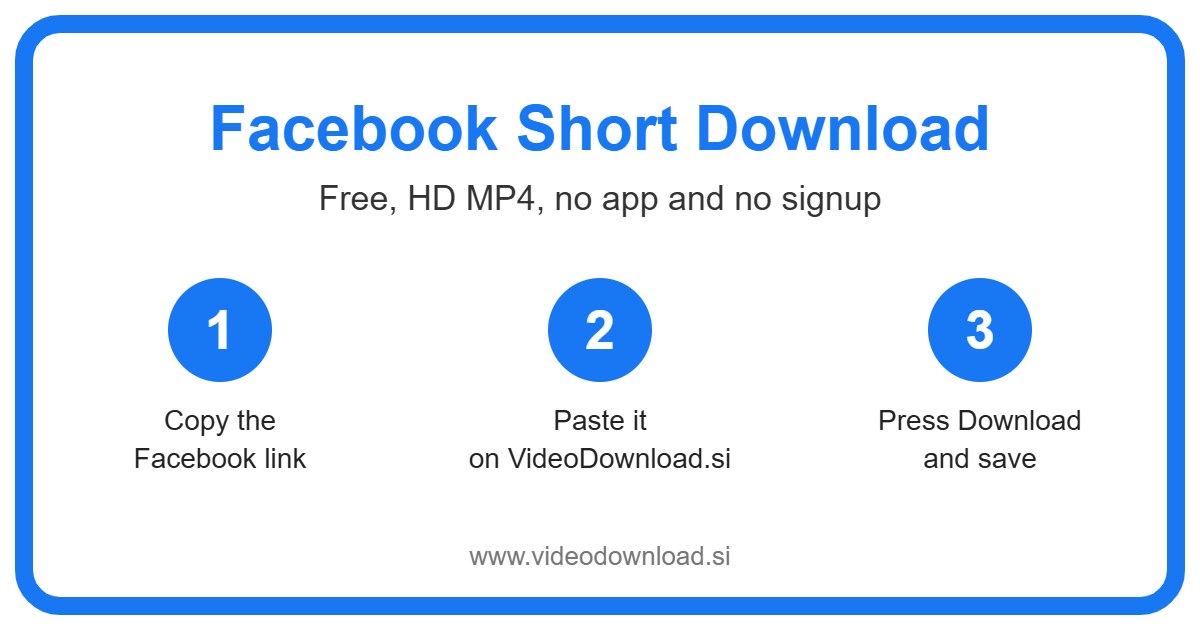
You only need the link to the video. Here’s how to get it and turn it into a file:
- Find the short video in the Facebook app or on the website.
- Tap Share (on a phone it’s often an arrow), or tap the three dots.
- Pick Copy link.
- Open this page and paste the link into the box at the top.
- Press Download.
- Once the video appears, save the MP4.
That’s really it. The first time might take you a minute, and after that you’ll do it without thinking. It’s the kind of thing you can show a friend once and they’ll remember it next time too.
If you’re on an iPhone or iPad
Safari saves the file to the Files app, in the Downloads folder. To move it into Photos, open the file, tap the share icon and choose Save Video. Then it sits in your camera roll next to your own clips.
If you’re on Android
Your browser drops it into the Downloads folder. Most gallery apps spot new videos on their own, though sometimes it takes a moment to show up.
If you’re on a laptop or desktop
Copy the address from the browser bar while the video is open, paste it here, and the MP4 lands in your usual downloads location.
Who actually needs to save Facebook shorts?
More people than you’d guess. A few everyday situations:
Maybe you run a small home bakery and you post short videos of your cakes. Keeping your own copies means you can reuse them on other platforms, or just have a backup if your phone ever dies.
Or your mum keeps asking about that funny dog video you showed her. She isn’t on Facebook and has no interest in joining. With a Facebook short download, you can send her the actual file by WhatsApp or email and she can watch it as many times as she likes.
Then there are the practical ones. A ten minute workout you want to follow at the gym where the signal is terrible. A quick cleaning hack you’d like to remember. A clip to watch on the bus with your data turned off. Having the file on your phone just makes life easier.
Why this Facebook short download tool is easy
Now, there are a lot of download sites out there, and some of them make you jump through hoops. This one keeps it plain. You see a box, you paste, you press one button. That’s the whole interface.
We never ask for your Facebook password or login. You don’t need to be logged in to anything for a public video, so there’s no reason to hand those over. If any site ever asks you for them just to download a clip, close the tab.
You’ll also get the best quality Facebook offers for that particular video. Clear uploads stay clear. Just remember the copy can’t be sharper than what the creator posted.
For the record, VideoDownload.si is an independent site and has nothing to do with Facebook or Meta.
Something went wrong? Try these
Don’t worry if a Facebook short download fails the first time. Most hiccups have a simple cause, and you can usually sort them out in under a minute.
“The link isn’t working”
Make sure it’s the link to that one video, not to a Page or a profile. Paste it into a browser tab to check it opens the right short. If it does, copy it fresh and try again here.
“It says it can’t find the video”
The short is probably not public. Videos shared with friends only, posted in private groups, marked as age restricted, or deleted by the owner can’t be saved. We can only see what anyone on the internet can see.
“The file won’t open”
It’s a normal MP4, so it should play almost anywhere. If your phone’s player struggles, try another video app. And check that the download fully finished before you tapped it.
“Where did it go?”
Downloads folder, nearly every time. On iPhone, that’s inside the Files app. On a computer, check the little downloads list in your browser.
“It’s so slow”
Usually that’s the connection. Busy WiFi at a café or a weak signal will drag things out. Try again somewhere with better reception, or switch between WiFi and mobile data.
A friendly note on respecting creators
Please stick to saving your own shorts or ones you’ve been given permission to use, and keep them for watching offline yourself. If you pass one along, give the creator credit. What you shouldn’t do is post someone else’s short on your own account. People work hard on these, even the silly ones.
Common questions about Facebook short download
Is a Facebook short the same as a Reel?
Yes. Facebook calls them Reels, and “Facebook short” is just the everyday name lots of people use. This tool saves them all.
How much does it cost?
Nothing. Every Facebook short download here is free, and you don’t have to sign up.
Can I use it without the Facebook app?
You can. If you have the link, from the website or from a friend who sent it to you, paste it here and go.
Does the downloaded short have sound?
Yes, the MP4 includes the audio, music and voice included, just like it played on Facebook.
Can I save shorts from a private group?
No. Only public videos work. Anything in a private group or on a private profile stays private.
Why won’t the video show up in my iPhone Photos?
Safari saves it in the Files app first. Open it from Downloads, tap share, and choose Save Video to move it into Photos.
Do I have to log in?
Never. We won’t ask for your login, and you don’t need one.
Give it a go
Next time a short clip on Facebook catches your eye, copy its link and drop it in the box up top. Whether you call it a Reel or a short, a Facebook short download takes just a few seconds and the clip stays on your phone. Your mum will probably thank you.
More Free Video Download Tools
Want to save something else? Try our Facebook Video Download, Facebook Reel Download, YouTube Short Download, TikTok Short Download. You can also head back to the VideoDownload.si home page to see every tool in one place.
If a link will not copy or a clip seems to be missing, the official Facebook Help Center explains how sharing and privacy settings work on Facebook.