
Ever scrolled past a Reel on Facebook, laughed out loud, and then lost it forever because the feed refreshed? That’s exactly why this Facebook reel download tool exists. You paste the link to a public Reel in the box at the top of this page, press Download, and you get an MP4 file you can keep on your phone or computer.
It’s free, there’s nothing to sign up for, and you don’t need to install any app. It runs right in your browser on Android, iPhone, iPad, Windows and Mac.
Below I’ll walk you through how it works, what to do when something goes wrong, and a few things to keep in mind so you’re fair to the people who make these clips.
So what counts as a Facebook Reel?
Reels are the short, vertical videos you swipe through on Facebook. They fill the whole screen on your phone, they usually have music or a voiceover, and they tend to run from a few seconds up to a couple of minutes. You’ll find them in their own Reels tab, mixed into your news feed, and on people’s profiles and Pages.
Lots of people call them “Facebook shorts” because they look so much like YouTube Shorts. Facebook’s own name is Reels, but it’s the same thing, and this tool handles them either way. You might also notice that some Reels you see on Facebook were first posted on Instagram, since the two apps share content. If the Reel plays publicly on Facebook, you can grab it here.
How to use this Facebook reel download tool
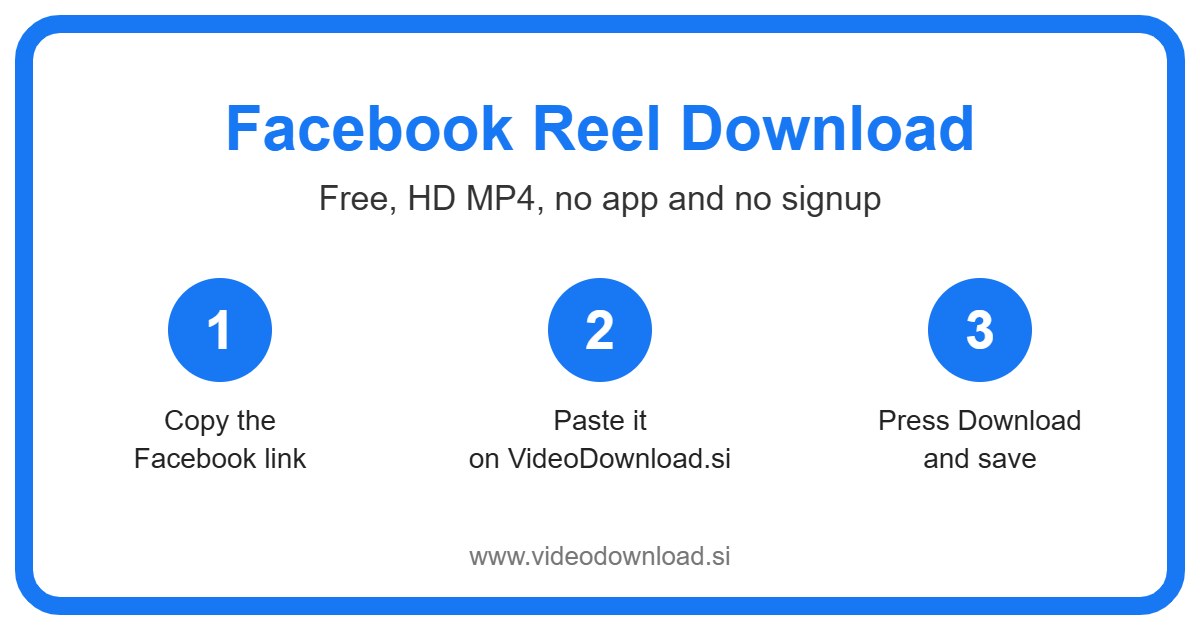
A Facebook reel download takes less than a minute once you’ve done it once. Here’s the routine:
- Open the Reel you want in the Facebook app or on Facebook.com.
- Tap the Share button, or the three dots, and choose Copy link.
- Come back to this page.
- Paste the link into the box at the very top.
- Press Download and wait a moment while the Reel loads.
- When the video shows up, save the MP4 to your device.
On a phone
On Android, the file normally lands in your Downloads folder, and most gallery apps will pick it up after a minute or two. On iPhone and iPad, Safari puts the file in the Files app, inside the Downloads folder. Open it there, tap the share icon, and choose Save Video if you want it in your Photos.
On a computer
On Windows or a Mac, it’s even simpler. Copy the Reel’s link from your browser, paste it here, and the MP4 goes wherever your browser saves downloads. That’s usually the Downloads folder unless you’ve changed it.
Why people want to save Reels in the first place
Honestly, the reasons are pretty ordinary. Here are the ones I hear most:
- Watching offline. Say you’re about to board a long flight or a train with patchy signal. Saving a handful of Reels beforehand gives you something to watch without data.
- Backing up your own Reels. If you make Reels for your small business or just for fun, it’s smart to keep your own copies. Phones get lost and accounts get locked.
- Keeping a recipe or a workout. That fifteen second pasta trick or the stretching routine you keep meaning to try is much easier to find in your gallery than in your Facebook history.
- Sharing with someone who isn’t on Facebook. Your grandmother might not have the app, but she can watch a video file you send her on WhatsApp or by email.
Picture this. Your nephew posted a Reel of his first goal at football practice, set to public so the whole family could see it. You want it on your phone for good, not buried somewhere in a feed. A quick Facebook reel download sorts that out.
What makes it simple
I didn’t want a Facebook reel download to feel like a chore, so the page does one job and keeps out of your way. There’s one box and one button. You won’t be asked to make an account, and you’ll never be asked for your Facebook password or login. Nobody should need those to save a public video.
The tool also saves the best quality Facebook makes available for that Reel. If the person uploaded a sharp, clear clip, that’s what you’ll get. If they uploaded something blurry, well, the copy will look the same as it did on Facebook.
Because it runs in your browser, there’s nothing taking up space on your phone afterwards. You just come back to this page whenever you need it. One small note: this is an independent site and isn’t connected to Facebook or Meta in any way.
When a Facebook reel download doesn’t go to plan
Most of the time it just works. When it doesn’t, it’s usually one of these.
The link doesn’t seem to work
Check that you copied the link to the Reel itself and not to someone’s whole profile or Page. Open the link in a new tab to make sure it goes straight to the video. Sometimes copying from the app adds extra text, so try copying it again.
It’s from a private account
Only public Reels can be saved. If the person shares their Reels with friends only, or the clip sits inside a private group, the tool can’t reach it. The same goes for age restricted Reels and ones that have been removed. That’s just how Facebook’s privacy settings work, and it’s a good thing.
The video won’t play after saving
The file is a standard MP4, so almost every phone and computer can play it. If yours won’t, try opening it with a different player, like VLC. Also check that the download actually finished. A half downloaded file won’t open.
I can’t find the file
Look in your Downloads folder first. On iPhone, open the Files app, then Downloads. On Android, try the Files or My Files app if the gallery doesn’t show it yet.
It’s taking ages
A slow or patchy WiFi connection is usually the reason. Try moving closer to the router, switching to mobile data, or just waiting a bit and trying again.
Be kind to the people who make Reels
Someone put time into every Reel you enjoy. So please only download your own Reels or ones you have permission to use, and keep them for personal viewing offline. If you share a clip with someone, mention who made it. And don’t upload other people’s Reels as if they were yours. It’s a small thing, but creators really notice.
Facebook Reel download questions
Is this Facebook reel download tool free?
Yes, completely. Every Facebook reel download here is free, with no sign up, no account and nothing to pay for.
Do I need to install an app?
No. It all happens in your browser, on your phone, tablet or computer.
Can I save a Reel that was posted on Instagram first?
If the Reel is shared publicly on Facebook and you can copy its Facebook link, you can try it here. If it only lives on Instagram, you’ll want an Instagram downloader instead.
Will the Reel keep its sound?
Yes. You get the Reel as an MP4 with its audio, just as it plays on Facebook.
Why do you not ask for my Facebook login?
Because you don’t need it. The tool only works with public Reels, and we’d never want your password anyway.
Can I download a Reel on my iPad?
Sure. Use Safari, follow the same steps, and you’ll find the file in the Files app under Downloads.
Ready to save one?
Your next Facebook reel download is only a copy and paste away. Find the Reel you love, copy its link, and paste it into the box at the top of this page. A few seconds later, you’ll have it on your device to watch whenever you like, even with no signal. Next time a Reel makes you smile, you won’t have to go hunting for it.
More Free Video Download Tools
Want to save something else? Try our Facebook Video Download, Facebook Short Download, YouTube Reel Download, TikTok Reel Download. You can also head back to the VideoDownload.si home page to see every tool in one place.
If a link will not copy or a clip seems to be missing, the official Facebook Help Center explains how sharing and privacy settings work on Facebook.