
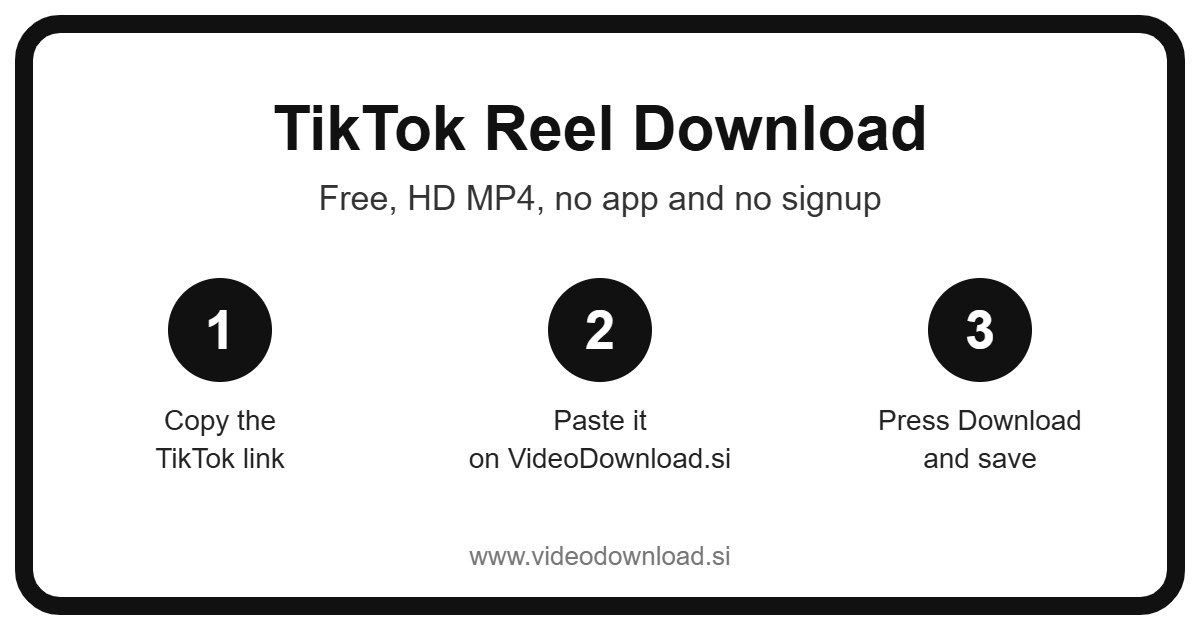
Want a quick TikTok reel download so a clip stays on your phone for good? You’re in the right spot. Copy the link from TikTok, paste it into the box at the top of this page, press Download, and you’ll get an MP4 file you can watch any time, even when you’ve got no signal at all.
There’s nothing to install and nothing to sign up for. It’s free, and it runs right in your browser, so it works the same on an Android phone, an iPhone, an iPad, a Windows laptop or a Mac. If you can copy a link, you can do this.
Below I’ll walk you through the steps, explain a little naming quirk, and cover the small problems people bump into now and then. Grab a cup of tea, it won’t take long.
Is a TikTok “reel” even a thing?
Here’s a fun one. TikTok doesn’t actually use the word “reel”. On TikTok everything is simply called a video. The word “reel” comes from Instagram, and since so many of us flip between both apps all day, the names get mixed up. Lots of people say TikTok reels, others say TikTok shorts, and they all mean the same short vertical clips.
So if you typed “TikTok reel download” into Google and landed here, don’t worry, you didn’t get the wrong page. Whatever you call them, this tool handles those clips. A reel, a short, a TikTok, a video, it’s all the same link and the same result.
How to do a TikTok reel download, step by step
It takes about as long as making toast. Here’s the whole thing:
- Open TikTok, in the app or on the website, and find the clip you want to keep.
- Tap the Share arrow on the right side of the screen (on a computer you might see the three dots instead).
- Choose Copy link.
- Come back to this page.
- Paste the link into the box at the very top.
- Press the Download button.
- The video shows up, and you save the MP4 to your device.
On a phone or tablet
Here’s where your TikTok reel download ends up. On Android, the file usually lands in your Downloads folder, and your gallery app will often pick it up on its own. On an iPhone or iPad, Safari saves it to the Files app, inside the Downloads folder. Open Files, tap the video, then tap the share icon and choose Save Video. Now it sits in your Photos with everything else.
On a computer
On Windows or a Mac it’s even simpler. The MP4 goes wherever your browser keeps downloads, which is normally the Downloads folder. Double click it and it plays in whatever video player you already have.
Why people save TikTok reels in the first place
You might wonder why anyone bothers when the clip is already sitting in the app. Honestly, there are loads of good everyday reasons to do a TikTok reel download.
- Your own clips, backed up. If you post on TikTok yourself, it’s smart to keep a copy of everything. Phones get lost, accounts get locked, and it’s awful to lose a year of your own work.
- Learning a dance or a routine. Say your niece is practising a dance for the school show. Having the clip saved means she can play it again and again, pause it, slow down in her video player, and never get stuck waiting for the app to load.
- Long journeys. A train with patchy signal or a flight with no WiFi is a lot nicer with a few funny clips ready to go.
- Sharing with family who don’t use TikTok. Your dad may never install the app, but he’ll happily watch an MP4 you send him on WhatsApp.
- Keeping a memory. A friend posts a lovely clip from your birthday dinner. A year from now it could be gone from their profile, but your copy is still there.
What makes this TikTok reel download tool easy
I’ll keep this part short, because the whole point is that there isn’t much to explain. You paste one link and press one button. You don’t have to make an account, hand over an email address, or install some random app that wants access to your contacts.
It also saves the best quality TikTok makes available for that video. If the creator uploaded a crisp, clear clip, that’s what you’ll get. If the original was a bit blurry to begin with, the download will look the same, because no tool can add detail that was never there.
And since it all happens in the browser, the steps are the same on every device. Learn it once on your phone and you’ll know exactly what to do on your laptop next week.
When your TikTok reel download doesn’t work
Most of the time it just works. When it doesn’t, it’s usually one of these little things.
The link won’t go through
Check that you copied the full link from the Share menu and not just some text from the caption. A TikTok link will usually start with TikTok.com or vm.TikTok.com. Try copying it again and pasting it fresh.
It says the video isn’t available
Only public videos can be downloaded. If the account is private, the video is set to friends only, or it’s been removed or age restricted, the tool can’t reach it. We will never ask for your TikTok password or login to get around that, and you should be wary of any site that does.
The file won’t play
The download might not have finished. Give it a moment, then try again. If you’re on an older phone, try opening the MP4 in a different video player app.
Where did my video go?
This is the number one question, especially on iPhone. Look in the Files app, under Downloads. On Android, check the Downloads folder or your gallery. On a computer, check your browser’s downloads list.
It’s taking ages
Slow WiFi or weak mobile data is usually the reason. Move closer to the router, or wait until you’re on a better connection. Longer clips simply take a bit more time.
Be kind to the people who make the clips
Every TikTok you love was made by someone who put real effort into it. So please only download your own videos, or ones you have permission to use, and keep them for watching offline yourself. If you do share one with a friend, mention who made it.
You may notice that TikTok’s own Save option is missing on some videos. That’s usually because the creator switched it off, and it’s a good hint about how they feel. Please respect that, and never reupload someone else’s work as if it were yours.
Questions people often ask
Is this TikTok reel download tool free?
Yes, completely. There’s no sign up, no trial and nothing to pay.
Do I need to install an app?
No. Everything happens on this web page, in the browser you already use.
Does it work on iPhone?
It does. Use Safari, and your video will appear in the Files app under Downloads. From there you can save it to Photos.
Can I download from a private account?
No. Only public videos work. Private accounts, friends only posts and removed videos can’t be saved, and we never ask for your login.
Will the quality drop?
You get the best quality TikTok makes available for that clip, so it should look just like it does in the app.
Is this site part of TikTok?
No, we’re an independent site and aren’t affiliated with TikTok or ByteDance in any way.
Ready to save your first one?
Pop back up to the top of the page, paste your link, and press Download. In a few seconds you’ll have your clip saved and ready for the next long bus ride, a quiet evening, or a video call with Grandma. A TikTok reel download really is that simple, so go and give it a try.
More Free Video Download Tools
Want to save something else? Try our Facebook Reel Download, YouTube Reel Download, TikTok Video Download, TikTok Short Download. You can also head back to the VideoDownload.si home page to see every tool in one place.
If a link will not copy or a clip seems to be missing, the official TikTok Help Center explains how sharing and privacy settings work on TikTok.