
Need a simple TikTok video download that doesn’t involve installing anything? This page does just that. Paste a TikTok link into the box at the top, press Download, and save the clip as an MP4 that plays on your phone, tablet or computer.
It’s free and there’s no sign up. It runs in the browser, so whether you’re holding an Android phone, an iPhone, an iPad, or sitting at a Windows PC or a Mac, the steps are exactly the same.
Have you ever lost a video you meant to come back to? Most of us have. Let’s make sure that doesn’t happen with the next one.
A quick note on names
TikTok keeps things simple and calls every clip a “video”. You’ll hear people call them TikTok reels or TikTok shorts too, because those words come from Instagram and YouTube. It’s all the same thing underneath.
So whether a friend sent you “a TikTok”, “a reel” or “a short”, if the link points to TikTok.com, this tool can work with it. One box, one button, any public TikTok.
How the TikTok video download works
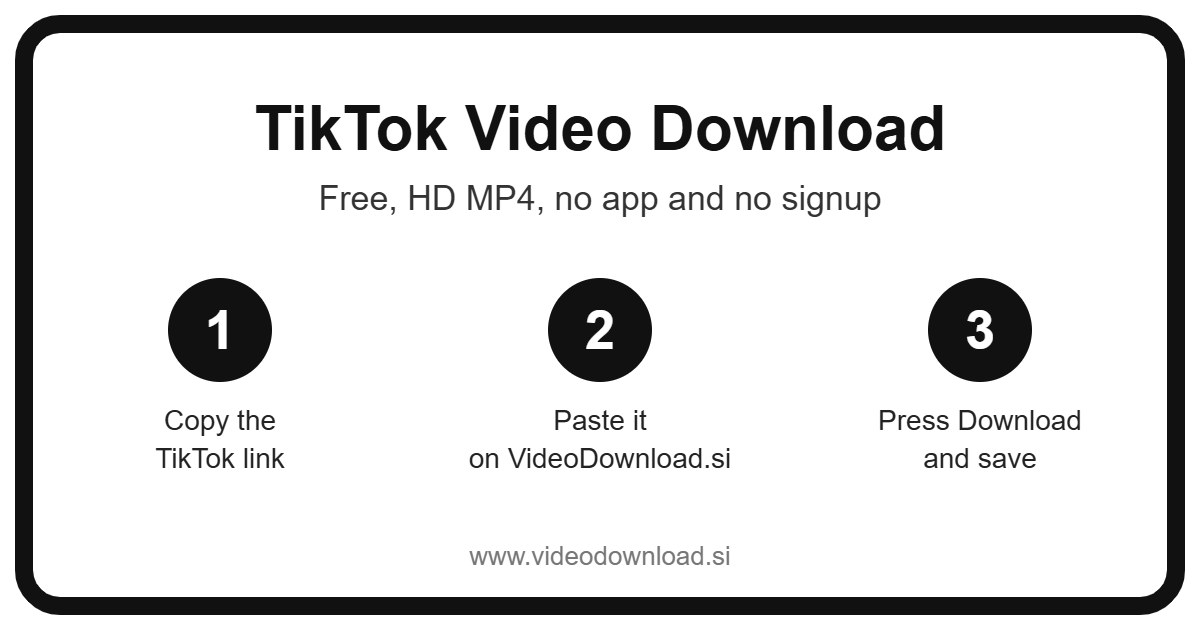
Here’s the full routine. Once you’ve done it twice you won’t need to read this again.
- Open the video on TikTok, either in the app or in your browser.
- Tap Share. On some screens it’s the three dots instead.
- Tap Copy link.
- Switch over to this page.
- Paste the link into the box at the top.
- Press Download.
- Save the MP4 when the video shows up.
If you’re on a phone
Android phones usually tuck the file into Downloads, and many gallery apps spot it straight away. iPhones and iPads work a little differently. Safari saves the video to the Files app, in the Downloads folder. Open it, tap the share icon and choose Save Video, and it’ll appear in Photos.
If you’re on a computer
On Windows or Mac, the MP4 lands in your browser’s normal downloads folder. From there you can move it anywhere, play it full screen, or add it to a slideshow.
Real reasons to keep a TikTok video
People reach for a TikTok video download for all kinds of reasons, and most of them are pretty ordinary.
Take Priya, a primary school teacher. She found a brilliant two minute clip explaining how volcanoes erupt, and she wanted to show it in class. The school WiFi is unreliable, so she saved it the night before and played it from her laptop with no buffering.
Or think about the time your washing machine started making that horrible noise. Someone on TikTok showed exactly which filter to clean. Saving that clip means you can follow it with wet hands in the utility room, pausing as you go.
Other common reasons:
- Keeping a backup of videos you made and posted yourself.
- Collecting travel ideas for a trip, so you can look at them offline once you arrive.
- Watching clips on a long flight or a trip into the countryside where the signal disappears.
- Sending a funny or sweet video to a parent or grandparent who doesn’t have TikTok.
- Saving a workout or yoga routine to follow along at home.
Small things that make each TikTok video download easier
We’ve kept the tool as plain as possible on purpose. There are no accounts, no passwords, and nothing to install on your phone or computer. You just paste a link.
The file you get is an MP4, the most common video format around, so you won’t have to hunt for a special player. You also get the best quality TikTok makes available for that particular video. A clear, bright clip downloads clear and bright.
Since everything happens in your browser, it doesn’t eat up space with yet another app, and you can use it from any device you happen to be holding.
It’s easy to teach someone else, too. If your mum can copy a link to send you a funny clip, she can do a TikTok video download by herself too. Show her once over a cup of tea and she’ll be saving cooking clips by the weekend.
Fixing a TikTok video download that won’t work
Now and then something won’t go to plan. Before you give up, run through these quick checks. Nine times out of ten the fix takes a few seconds.
The box won’t accept the link
Make sure you used Copy link from the Share menu. Sometimes people copy the caption or a username by accident. Copy it again and paste it fresh into the box.
The video is private or missing
Only public TikToks can be saved. If the account is private, the post is for friends only, or the video was removed or is age restricted, it won’t download. We never ask for your TikTok password or login, and no honest download site should.
The MP4 won’t play
It may not have finished downloading. Delete the file, try again, and wait until it’s done. If it still misbehaves, open it in a different player app.
I can’t find the file
On iPhone and iPad, open Files and look in Downloads. On Android, check Downloads or your gallery. On a computer, click your browser’s downloads icon to see the list.
Everything is crawling
It’s usually the internet connection. Try stronger WiFi, step closer to your router, or try again a little later.
Please respect the creator
Someone filmed, edited and posted that video, so a little courtesy goes a long way. Only download your own clips or ones you have permission to use, and keep them for personal offline watching. If you share one, give the creator credit, and don’t reupload their work as your own.
You might have noticed that TikTok’s own Save button is sometimes missing. That’s often because the creator turned it off, which tells you they’d rather their video stayed on TikTok. Keep that in mind and respect their wishes.
Frequently asked questions
Is the TikTok video download free?
Yes. It costs nothing and you don’t need to sign up.
Which devices can I use?
Android phones, iPhones, iPads, Windows computers and Macs. Anything with a modern web browser should be fine.
Where does the video go on an iPhone?
Into the Files app, inside the Downloads folder. Tap it, use the share icon and pick Save Video to move it to Photos.
Can I download a video from a private account?
No. Only public videos are supported, and we’ll never ask for your login.
Is VideoDownload.si run by TikTok?
No. We’re independent and not affiliated with TikTok or ByteDance.
How long does it take?
Usually just a few seconds. Longer videos or a slow connection can stretch that out a little, but you won’t be waiting around for long.
Will my video look worse after downloading?
It shouldn’t. You get the best quality TikTok offers for that video, so it looks the way it does in the app.
One last thing
The next time a clip makes you laugh, teaches you something, or reminds you of someone you love, don’t just scroll past and hope you’ll find it again. Copy the link, bring it here, and do a quick TikTok video download. It’ll be waiting on your device whenever you want it.
More Free Video Download Tools
Want to save something else? Try our Facebook Video Download, YouTube Video Download, TikTok Short Download, TikTok Reel Download. You can also head back to the VideoDownload.si home page to see every tool in one place.
If a link will not copy or a clip seems to be missing, the official TikTok Help Center explains how sharing and privacy settings work on TikTok.