
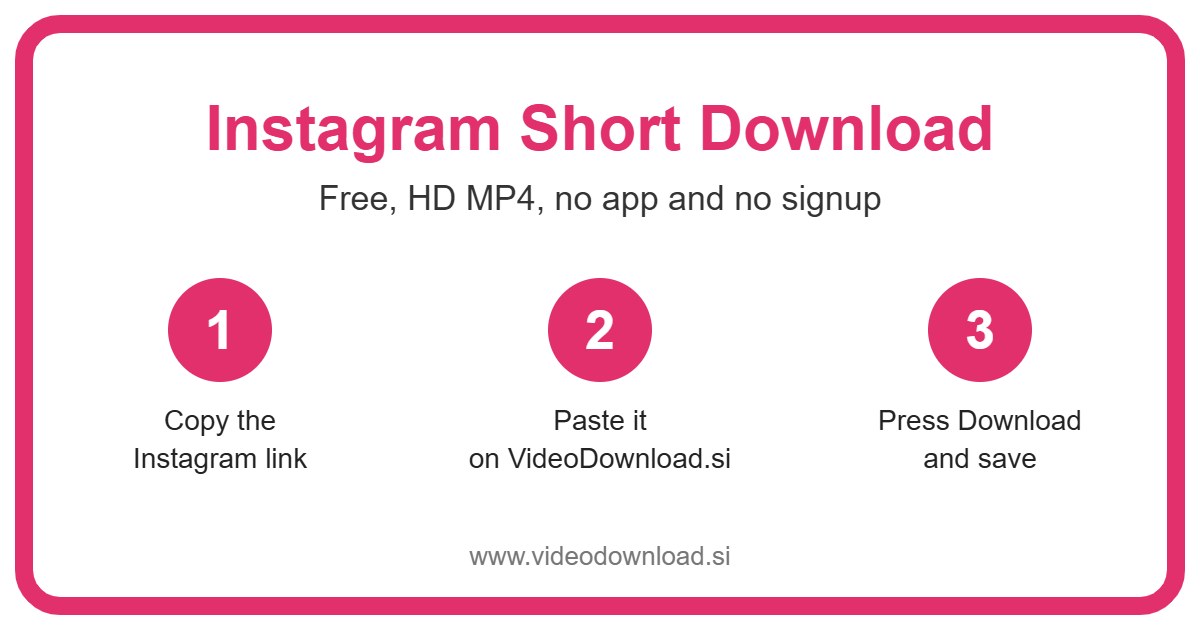
If you’ve been searching for an Instagram short download, you’ve found a tool that does exactly that. Copy the link to the short video, drop it into the box at the top of this page, press Download, and the clip comes back to you as an MP4 file.
Maybe you’re used to YouTube, where quick vertical clips are called Shorts, and you assumed Instagram used the same word. Lots of people do. Either way, you want that funny clip on your phone so you can watch it again or pass it on, and that’s what this page is for.
A tiny naming note before we start
Here’s the thing. Instagram doesn’t officially have “Shorts”. It calls its short vertical videos Reels. But “Instagram short” is what loads of people type, especially if they also watch YouTube or TikTok, so we made this page for them.
Good news: it’s the same tool. Any short, full screen, vertical clip on a public Instagram account is a Reel, and this page saves Reels. So whatever you call it, an Instagram short, an Insta clip, a reel, you’re covered.
One more thing while we’re being upfront. VideoDownload.si is its own little site and isn’t linked to Instagram or Meta in any way.
Getting your Instagram short download in six steps
Never done this before? No problem. It’s mostly copy and paste.
- Find the short video in the Instagram app or on Instagram.com.
- Tap the Share button (it looks like a paper plane) or the three dots in the corner.
- Pick Copy link.
- Open this page in your browser.
- Paste the link into the box at the top and press Download.
- Once the video shows up, save the MP4.
That’s really all there is to an Instagram short download. The first time might take you a couple of minutes while you work out where the buttons are. After that you’ll do it without thinking.
Phones and tablets
Android phones normally drop the file into the Downloads folder, and most gallery apps pick it up on their own. iPhones and iPads behave a little differently. Safari saves the video to the Files app, in Downloads. Tap the file, tap the share icon, and choose Save Video to move it into Photos where you’d expect to find it.
Laptops and desktops
On a Windows PC or a Mac, open the clip on Instagram.com, copy the address from the top of the browser, and paste it here. The MP4 goes to your usual Downloads folder. Simple as that.
Real reasons people keep Instagram shorts
Why bother saving a clip that’s only twenty seconds long? You’d be surprised how often it comes in handy.
Sending a laugh to someone without Instagram. My neighbour’s grandad doesn’t have the app and has no plans to get it. When she finds a clip of a parrot singing old Bollywood songs, she saves it and sends the file to him on WhatsApp. He watches it on loop, apparently.
Watching on the go. Got a long bus ride or a flight coming up? A handful of short clips saved to your phone gives you something to watch with no data at all.
Keeping your own videos safe. If you post shorts for your yoga classes or your little clothing shop, keep copies of your own work. Accounts get hacked, posts get deleted by accident, and it’s nice to know your videos are sitting safely in a folder.
Saving a tip you’ll need later. A clip showing how to fold a fitted sheet or fix a dripping tap is only useful if you can find it when the moment comes. Scrolling back through your Saved tab for ages isn’t fun.
Why this one is easy to use
You won’t have to sign up, and there’s nothing to install. It works in the browser on Android, iPhone, iPad, Windows and Mac, so you can use whichever device is closest. Every Instagram short download is free, too.
We also never ask for your Instagram login. If any site asks for your password just to save a public video, close it, because there’s no good reason for that.
As for quality, the tool grabs the best version Instagram makes available for that clip. A sharp, well lit video will stay sharp. A blurry one will stay blurry, since there’s no way to add detail that wasn’t there to begin with.
Fixing the usual Instagram short download problems
If something isn’t working, don’t worry. It’s almost always one of these.
“The link isn’t working”
Check what you copied. Sometimes people copy the profile link or a link to a whole post grid instead of the clip itself. Open the short video, copy the link again from the Share menu, clear the box on this page, and paste fresh.
It’s from a private account
Only public posts work here. Clips from private profiles, Close Friends stories, and anything that’s been removed or marked age restricted can’t be saved with this tool. And no, we won’t ever ask you to log in to get around that.
The clip downloaded but won’t play
Try opening it in another app. VLC is a free player that handles almost any file on a computer. On a phone, open it from your gallery or the Files app. If the file size looks suspiciously small, the download probably cut off early, so try again.
“I can’t find the file”
Look in Downloads first. On iPhone that’s inside the Files app under Browse. On Android, your Files or My Files app will have it, and sorting by newest makes it easy to spot. On a computer, click the download icon in your browser for a shortcut.
It’s taking forever
Shorts are small files, so a slow download usually means a weak connection. Step closer to your router, turn WiFi off and on again, or try mobile data instead.
Be kind to the people who made it
A short clip can take hours to film and edit. Please save only your own videos, or ones the creator has said you can use, and keep them for personal viewing offline. If you pass one along to friends, give the creator a mention. Just don’t reupload someone else’s clip as your own, it’s not cool and it can get accounts reported.
Instagram short download FAQ
Does Instagram actually have Shorts?
Not by that name. Instagram calls them Reels. Shorts is YouTube’s word. This page saves Instagram Reels, which is what most people mean by an Instagram short.
Is the Instagram short download free?
Yes. No payment, no account, no app to install.
Can I use it on my iPad?
Yes. It works the same way as on an iPhone. The file goes to the Files app, in the Downloads folder.
Will I get the music too?
Yes, any sound that’s part of the video comes with the MP4.
Why won’t a friend’s clip download?
If their account is private, the tool can’t reach it. Ask them to send you the video directly instead, which is usually the quickest fix anyway.
Do you need my Instagram password?
Never. All we need is the link to a public clip.
Go grab that clip
So whether you call it a short, a reel or just “that funny video”, the steps are the same. Scroll up, paste your link, press Download, and your Instagram short download will be sitting on your device in a moment, ready to watch or send to someone who’ll love it.
More Free Video Download Tools
Want to save something else? Try our Facebook Short Download, YouTube Short Download, TikTok Short Download, Instagram Video Download. You can also head back to the VideoDownload.si home page to see every tool in one place.
If a link will not copy or a clip seems to be missing, the official Instagram Help Center explains how sharing and privacy settings work on Instagram.