
Quick answer: To download a short clip from Reddit, Pinterest or another site, open it, use the Share button or copy the address from your browser, paste the link into the Other Short Downloader box above and press Download. The short clip saves to your phone or computer as an HD MP4 file, free, with no app and no login.
| Other Short Downloader | Details |
|---|---|
| Price | Free |
| File type | MP4 video |
| Quality | HD, up to 1080p when the original allows |
| Watermark added by us | None |
| App or signup needed | No |
| Works on | Android, iPhone, Windows and Mac |
| Which videos | Public videos only |
Spotted a funny little clip while scrolling and wish you could keep it? This other short downloader is for quick, mostly vertical videos from sites that don’t have their own page on VideoDownload.si. Think a ten second Reddit clip of a cat losing a fight with a curtain, or a Pinterest pin showing how to fold a fitted sheet.
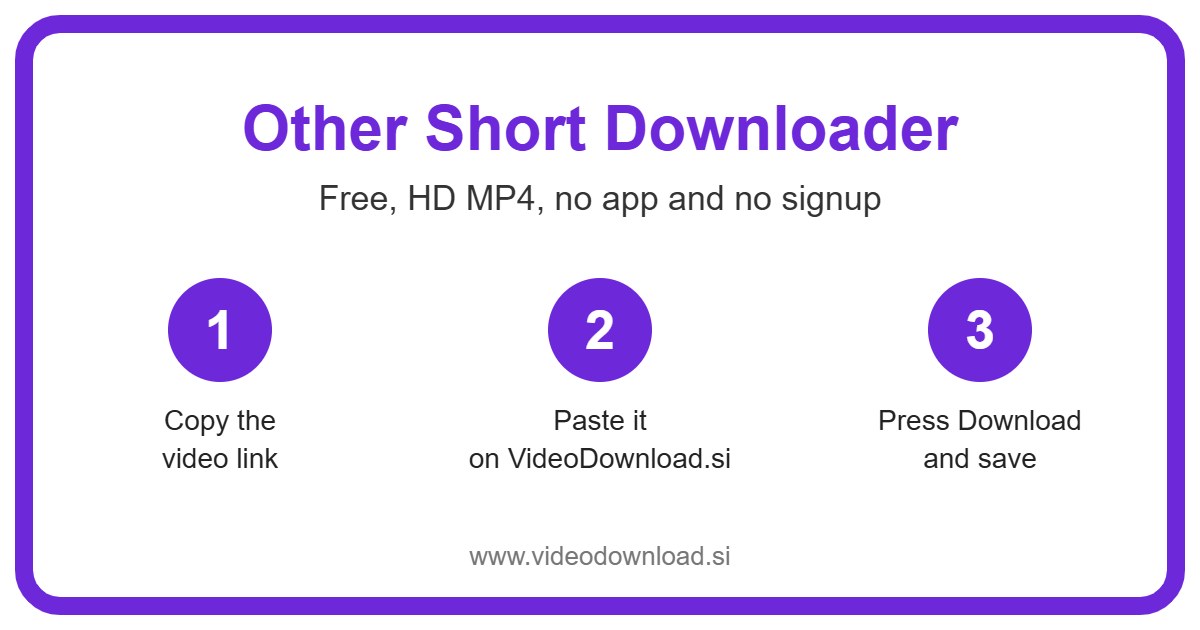
An other short download takes three steps. You paste the link in the box at the top, press Download, and save the file. It’s free, there’s no sign up, and you don’t need to install an app. It works in the browser on Android, iPhone, iPad, Windows and Mac.
Short clips are a bit different from long videos, so this page is built around them. Let’s look at what that means for you.
What counts as an other short download
Lots of sites now have their own swipe through feed of quick vertical videos, the kind you watch with your phone held upright. Most of them don’t give these clips a special name, so people just call them shorts. That’s the word we’ve used here, but don’t worry about the label. If it’s a quick clip from one of the sites below, this is the right place.
Here’s the full list of what works right now:
- Reddit video clips
- Pinterest video pins
- Snapchat Spotlight
- Threads videos
- Tumblr videos
- Twitch clips
- Bilibili short videos
- Vimeo shorts
- Dailymotion short videos
Paste a link from somewhere else and you’ll get a short message listing the sites that do work. We add more over time, so a site that’s missing today might show up later.
Got a longer video instead?
If you’re after a full length Vimeo film or a long Dailymotion interview, our sister page, Other Video Downloader, covers longer videos from these same sites. And if your link comes from Instagram, TikTok, YouTube, Facebook, Twitter (X) or LinkedIn, each of those has its own page on the site, so use that one.
How to use the other short downloader
- Open the clip in the app or on the website.
- Tap Share or the three dots, then choose Copy link.
- Come back to this page and paste the link into the box at the top.
- Press Download.
- Look at the preview, pick a quality or Audio only, and save the MP4.
Because most of these clips are filmed upright, the other short downloader shows the preview in a tall box, just like on your phone. That way you can check you’ve got the right clip before you save anything.
On a phone
Most people grab short clips on their phone, so this is the usual route. Copy the link in the app, switch to your browser, paste and go. On iPhone, Safari puts the file in the Files app, in the Downloads folder, and from there you can save it to Photos. On Android, it’ll normally be in your Downloads folder or show up in your gallery.
On a computer
Copy the address from the browser bar while the clip is open, paste it here and press Download. The file lands wherever your browser keeps downloads. Easy.
Little tips for each site
Each site hands out links a bit differently. These small things save a lot of head scratching.
Reddit: Links that start with v.redd.it work, and so do normal post links. Use the Share button on the post rather than copying the subreddit address.
Pinterest: The short pin.it links you get from the Share button work fine. No need to dig out the long version.
Twitch: Clip links work. Make sure it’s the link to the clip itself, not the streamer’s channel or a full past broadcast.
Snapchat: Only Spotlight clips, the public feed. Snaps and stories sent between friends aren’t reachable.
Threads and Tumblr: Copy the link to the single post, not the profile or blog home page.
Bilibili, Vimeo and Dailymotion: Use the share option on the clip and paste it in as it comes. If the video turns out to be long, the sister page, Other Video Downloader, is the better fit.
Picking a size that suits you
Once the clip loads in the other short downloader, you’ll often see a few buttons such as 720p, 480p and 360p. Each one shows the file size, so you know exactly how much room it’ll take before you tap. That’s handy when your phone keeps nagging you about storage.
Each other short download is usually small anyway, but if you’re saving a batch of them, the lower options add up to a lot less space. Some sites only offer one version, and then you simply get the best quality that site makes available.
There’s also an Audio only button. Say someone posted a catchy little song on Tumblr, or a Bilibili clip with a voice line your kids keep quoting. You can keep just the sound and play it whenever you like.
Why bother saving short clips?
Honestly, short clips vanish fast. You see one, scroll on, and a week later you can’t find it again. Saving it with an other short download means it’s there when you want it.
Some everyday examples. Your neighbour made a Pinterest video of a quick bread trick and you want it on your phone in the kitchen, even when the WiFi is patchy. You streamed a great moment and want to keep your own Twitch clip as a backup. Your gran doesn’t use Reddit, but she’d love the clip of the dog that howls along to the piano, so you send her the file in a message.
Others save clips to watch on a train or a flight with no signal. A ten second video doesn’t need much data, but it does need some, and offline it needs none.
Why the other short downloader is simple to use
One box handles all nine sites. You don’t have to pick the site from a menu, because the tool works out where the link came from. The tall preview, the file size on each button and the Audio only choice are all right there on one screen.
We never ask for your password or login for any site. If any download tool ever asks for that, close it.
When a clip won’t download
Some clips just can’t be saved. An other short download won’t work for:
- Private posts, or posts you can only see when logged in
- Posts marked as adult or sensitive
- Paid or members only content
- Posts that have been deleted
Quick fixes for common problems
The link isn’t accepted. Check it’s from one of the nine sites and that you copied the clip, not a profile page. A missing bit at the end of the link is another common cause, so copy it again.
It says the post is private. Then the tool can’t reach it, and there’s no way round that.
The file won’t play. Try a different video player. If you chose Audio only, there’s no picture, which is expected.
I can’t find the file. On iPhone, open Files, then Downloads. On a computer, open your browser’s downloads list.
It’s slow. Short clips are quick on most connections, but on weak WiFi pick a smaller size and try again.
A word about the people who make these
Someone put effort into that clip, even if it’s only twelve seconds long. Please only download your own clips or ones you have permission to use, and keep them for personal offline viewing. If you share one, credit the creator, and don’t reupload other people’s work as your own. VideoDownload.si is not affiliated with any of these sites.
Other short download questions
Is the other short downloader free?
Yes, completely free, with no account needed.
Will vertical clips come out squashed?
No. They keep their upright shape, and the preview shows them in a tall box so you can see that before saving.
Do pin.it and v.redd.it links work?
Yes. Paste them exactly as you copied them from the Share button.
Can I save a whole Twitch stream here?
No, this page is for clips. Paste the link to the clip itself.
How do I know how big the file will be?
Each quality button shows its file size, so you can choose before your other short download starts.
My site isn’t on the list. What now?
You’ll see a message with the sites that do work. New ones get added over time, so check back.
Can I get just the sound?
Yes, tap Audio only and you’ll get the sound without the picture.
Next time a quick clip makes you laugh or teaches you something useful, don’t just scroll past and hope you’ll find it later. Copy the link, paste it at the top, and let the other short downloader keep it safe on your device.
More Free Video Downloader Tools
Want to save something else? Try our Other Video Downloader, LinkedIn Short Downloader, Twitter Short Downloader, Facebook Short Downloader. You can also head back to the VideoDownload.si home page to see every tool in one place.
Not sure what an MP4 file is? This short guide to the MP4 format on Wikipedia explains why it plays on almost every phone, computer and TV.