
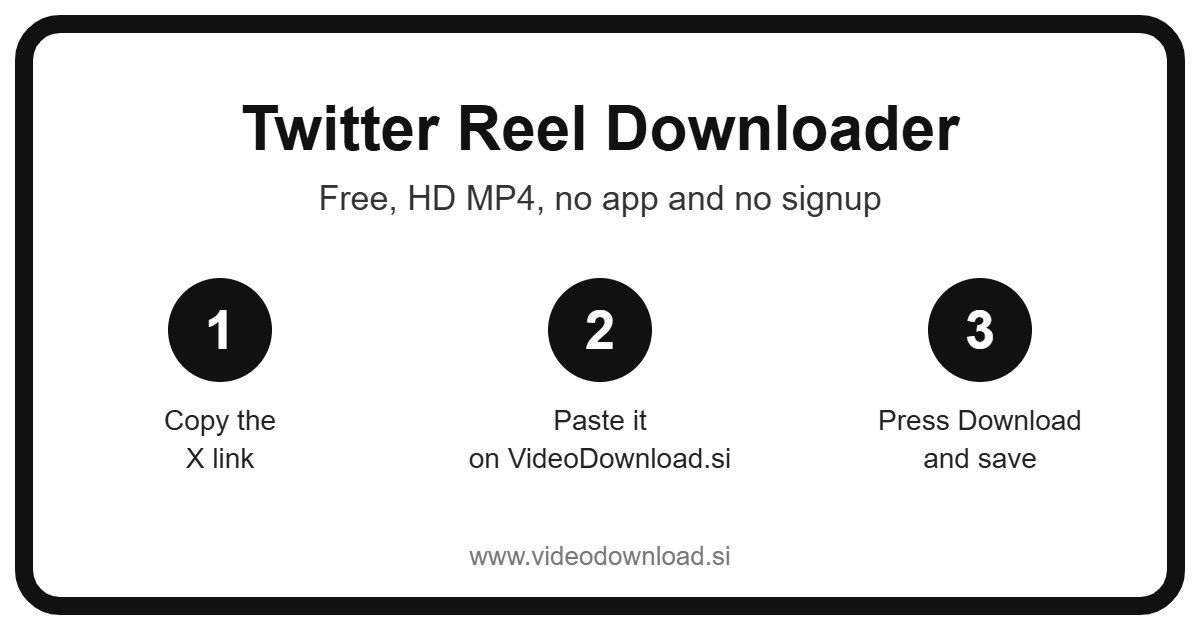
Quick answer: To download a X (Twitter) reel, open it, tap the share icon and choose Copy link, paste the link into the Twitter Reel Downloader box above and press Download. The reel saves to your phone or computer as an HD MP4 file, free, with no app and no login.
| Twitter Reel Downloader | Details |
|---|---|
| Price | Free |
| File type | MP4 video |
| Quality | HD, up to 1080p when the original allows |
| Watermark added by us | None |
| App or signup needed | No |
| Works on | Android, iPhone, Windows and Mac |
| Which videos | Public X (Twitter) reels only |
If you’ve been scrolling through those tall, full screen clips on X and thought “I want to keep that one,” this Twitter reel downloader is built for exactly that. Copy the link to the post, paste it in the box at the top, press Download, and you’ll have an MP4 saved on your phone or computer in a moment.
No account, no app, no fee. Just the clip you liked, sitting on your device where you can find it again tomorrow, next week or next year.
Wait, does Twitter even have reels?
Good question, and you’re not alone in asking it. Twitter is now called X, and X doesn’t have an official feature called “Reels.” That name belongs to Instagram and Facebook. But people use the word anyway, and honestly, it makes sense.
When someone searches for a Twitter reel download, they usually mean one of these:
- The vertical clips you swipe through in X’s video tab, which look and feel a lot like reels on other apps.
- A short video attached to an ordinary post.
- A clip that started life on Instagram or TikTok and got reposted on X by someone else.
All of those are just videos inside posts as far as this Twitter reel downloader is concerned, so they all work the same way. And it doesn’t matter if your link starts with x.com or the older Twitter.com. Paste whichever one you’ve got.
How to use the Twitter reel downloader, step by step
Let’s say you’re swiping through the video tab and a clip of a golden retriever “helping” with the laundry stops you in your tracks. Here’s how to keep it.
- While the clip is playing, tap the Share icon or the three dots.
- Choose Copy link.
- Open this page in your browser.
- Paste the link into the box at the top.
- Press Download.
- If the post holds more than one video, each one is listed. Pick the clip you’re after.
- Choose your quality, for example 720p, 480p or 360p. The file size is shown on each button. Want only the sound? Tap Audio only.
- Save the MP4.
Saving reels on your phone
Most people find these vertical clips on their phone, so this is where you’ll probably do your Twitter reel download. On an iPhone or iPad, Safari puts the file in the Files app, in the Downloads folder. Tap it, hit the share icon and choose Save Video, and it moves into Photos with everything else. On Android, check your Downloads folder or open your gallery app after a few seconds.
Saving reels on a computer
Watching on a laptop? Click the post so it opens on its own, copy the address from the top of the browser, and paste it here. On Windows or Mac the MP4 goes to your usual downloads folder. Since these clips are tall, they’ll play with black bars on the sides on a wide monitor, which is normal.
Why save a reel from X at all?
You might wonder why bother when you can just like the post. The trouble is, likes aren’t a filing cabinet. Try finding a clip you liked three months ago and you’ll see what I mean. Here are a few reasons people tell us they save these clips.
- A dance or routine you want to learn. Your niece wants to learn the dance from a viral clip before her school show. Having it saved means you can pause, rewind and practise without the app jumping to the next video.
- Your own vertical videos. If you film reels for your small business and post them on X, keep a copy. Phones get lost and old files get deleted by accident.
- A makeup or hair tutorial. Thirty seconds of someone showing a quick braid is easy to follow when it’s in your gallery, propped up next to the mirror.
- Something to show at a family dinner. Your grandmother doesn’t scroll X, but she’ll happily watch the funny cat clip on your phone without you needing any signal.
- A song you can’t name yet. Use Audio only to keep the soundtrack from a clip and figure out what it is later.
Why this Twitter reel downloader feels simple
The whole point is that you shouldn’t need instructions after the first time. You don’t make an account. You don’t install anything. It works in the browser you already have, on Android, iPhone, iPad, Windows and Mac.
Now, the part people like most is the quality choice. Every button shows the file size before you tap, so there are no surprises. Vertical clips can be surprisingly big at higher quality, so if your phone storage is nearly full, the smaller option is right there. The tool offers the best quality X makes available for that particular clip, so what you see is what’s on offer.
Some posts have a few clips packed into one. Instead of grabbing the first and hoping, the tool shows each video separately so you can choose the right one. GIFs from public posts work too, and they’re saved as MP4 so they’ll play anywhere.
When a Twitter reel download doesn’t go to plan
Most hiccups have a quick fix. Here are the ones that come up the most.
“I copied the link but it won’t work”
In the video tab it’s easy to copy the wrong thing. Make sure you tapped Share on the clip itself, not on the creator’s profile. A proper post link has “status” and a long number in it. Both x.com and Twitter.com links are fine.
The clip is from a protected account
Protected accounts are X’s version of private accounts, and their posts only show to approved followers. The Twitter reel downloader can’t open them, and we’ll never ask for your X password to try. If any site does ask for it, close the tab.
“Video not available”
Posts marked as sensitive or adult won’t download here. If the post was deleted, the clip is gone and there’s nothing left to save. Live Spaces audio isn’t supported either, because it’s a live audio room and not a video.
The reposted clip from another app is missing
Sometimes a post only links out to Instagram or TikTok rather than actually uploading the video to X. If there’s no video playing inside the post itself, there’s nothing here to grab. Open the original link and use the matching downloader on our site instead.
The file won’t open
Usually this means the download stopped halfway. Delete it and try again. On a computer, a free player like VLC opens almost anything.
Where did it go?
iPhone: Files app, then Downloads. Android: the Downloads folder. Computer: your browser’s downloads list.
It’s taking ages
Slow WiFi or weak mobile data is nearly always the reason a Twitter reel download drags. Pick 360p, move nearer the router, or wait until you’re on a stronger connection.
Be kind to the creators
The people behind these clips spend real time filming, editing and getting the timing right. So please only save your own videos or ones you’ve been given permission to use, and keep them for watching offline yourself. If you show a clip to someone else, mention who made it. And don’t upload someone else’s reel to your own account as if it were yours.
Twitter reel download FAQ
Does X actually call them reels?
No. X has no official Reels feature. People say reels when they mean the vertical clips in the video tab, short videos in posts, or clips reposted from other apps. The Twitter reel downloader saves all of them.
Is this Twitter reel downloader free?
Yes, completely. Every Twitter reel download here is free, with no sign up and nothing to install.
Can I keep the vertical shape?
Yes. The MP4 keeps the clip as it was posted, so a tall video stays tall and fits your phone screen nicely.
Can I save just the music from a reel?
Pick Audio only instead of a video quality and you’ll get the sound on its own.
Do old Twitter.com links still work?
They do. Paste x.com or Twitter.com links exactly as you copied them.
Is VideoDownload.si part of X?
No, we’re an independent site and not affiliated with X or Twitter.
Go grab that clip
So next time a vertical video on X makes you laugh out loud on the bus, you’ll know how to keep it. Copy the link, paste it at the top, choose a size that suits your phone, and your Twitter reel download is done. Who knows, that dancing dog might be just what you need on a rainy Monday.
More Free Video Downloader Tools
Want to save something else? Try our Twitter Video Downloader, Twitter Short Downloader, LinkedIn Reel Downloader, Facebook Reel Downloader. You can also head back to the VideoDownload.si home page to see every tool in one place.
If a link will not copy or a clip seems to be missing, the official X Help Center explains how sharing and privacy settings work on X.